

Set default on-costs
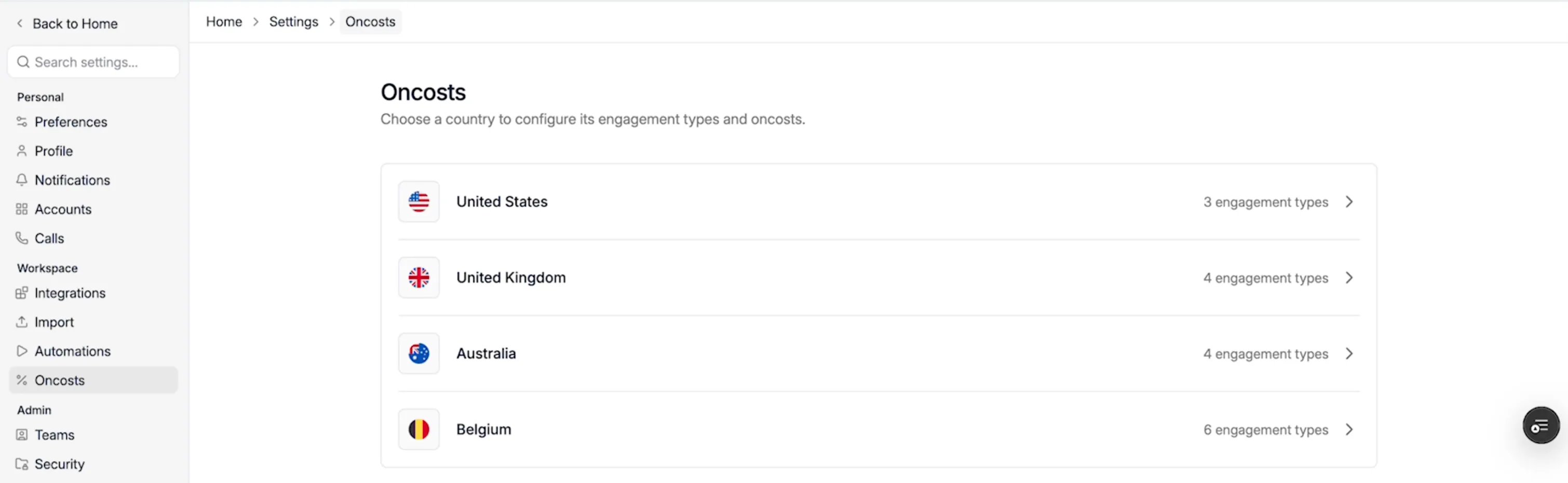
- Go to Settings → Oncosts, under Workspace.
- Choose a country. The list shows how many engagement types each country has.
- Open the tab of the engagement type. Below its description you see the Default on-cost lines and their Total.
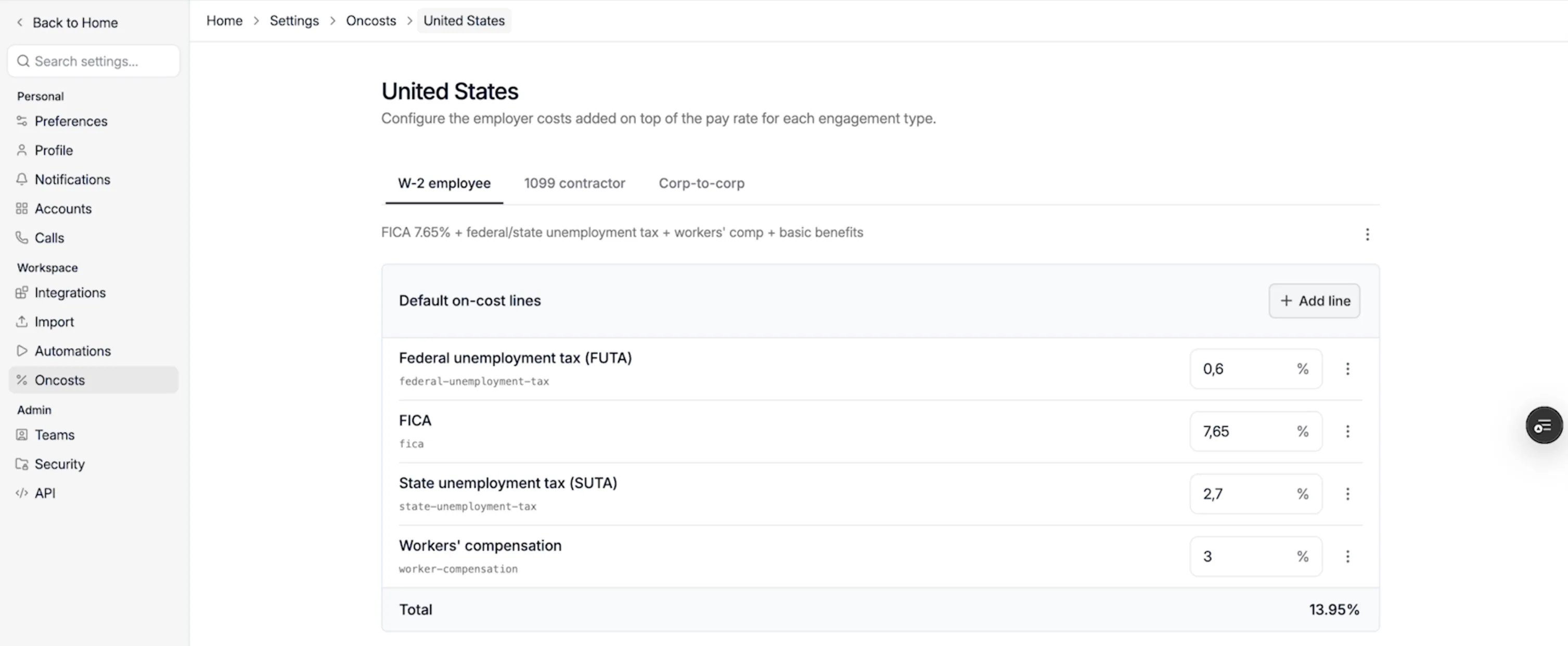
- To change a percentage, type the new value in its field.
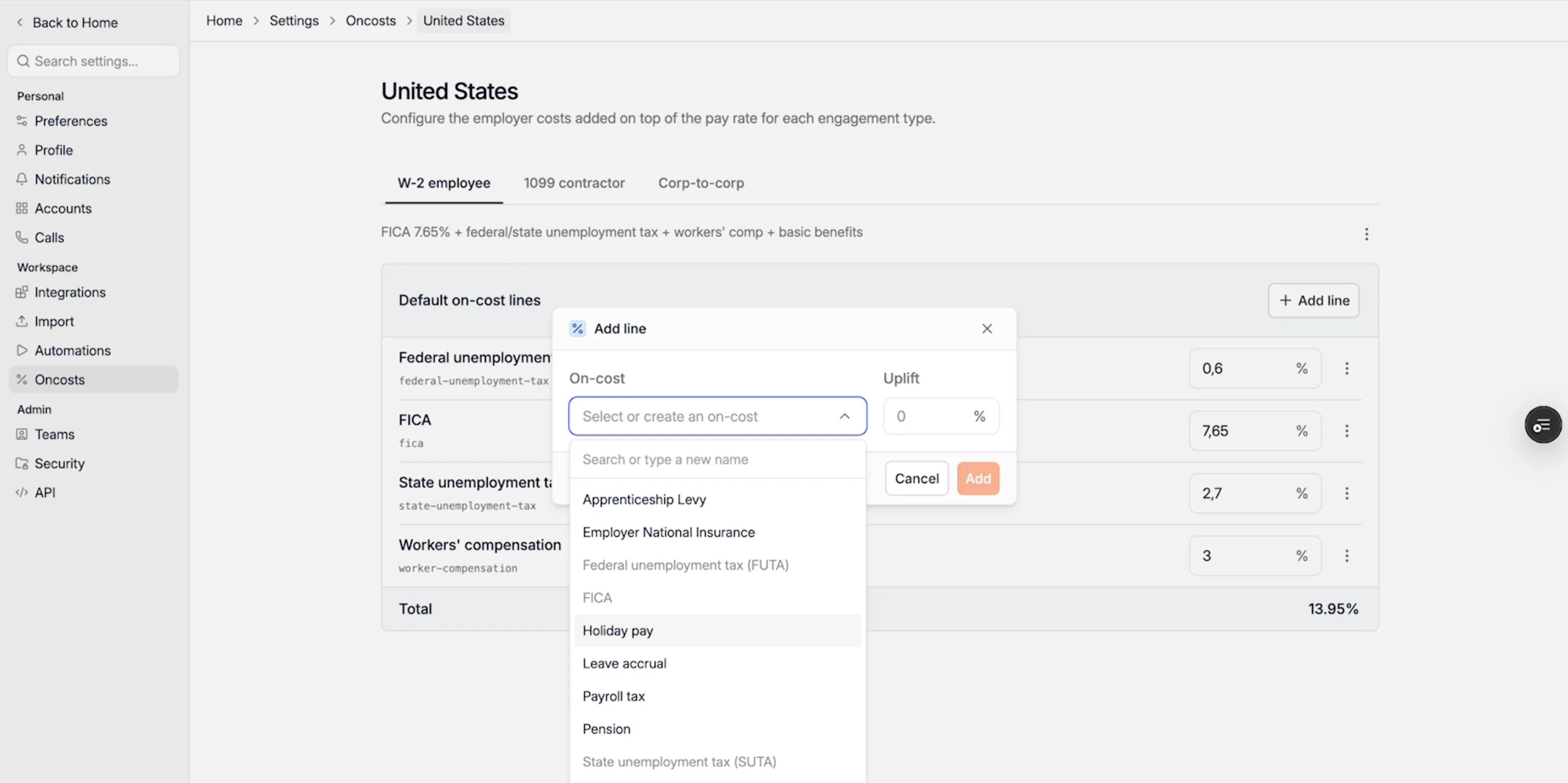
- To add a line, click + Add line, choose the On-cost from the list, such as Holiday pay, Pension or Payroll tax, enter the Uplift as a percentage of pay and click Add.
On-costs depend on local rules, your company and the job. Spott calculates with the
percentages you enter but doesn’t check them, so check your defaults with your payroll
provider or accountant.
Limitations
- Default on-costs are available for the United States, the United Kingdom, Australia and Belgium.
- On-costs are a percentage of the pay rate. Fixed amounts per hour or day aren’t supported.