

Go to Teams settings
- In Spott, go to Settings.
- Scroll to the Admin section and click Teams.
Create a new team
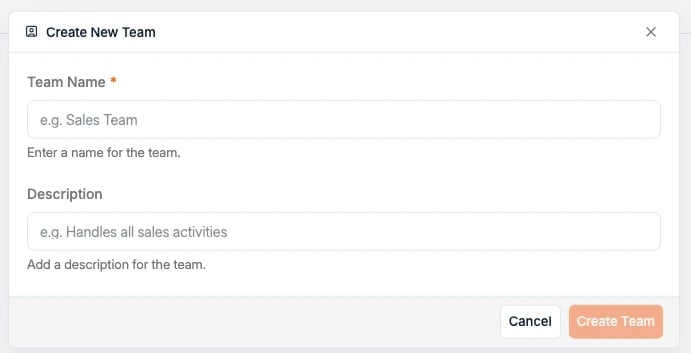
- Click Create Team in the top-right corner.
- Enter a Team Name (for example: Accountancy & Finance, Brussels Office).
- Optionally, add a Description to clarify the team’s purpose.
-
Click Create Team.
View and manage existing teams
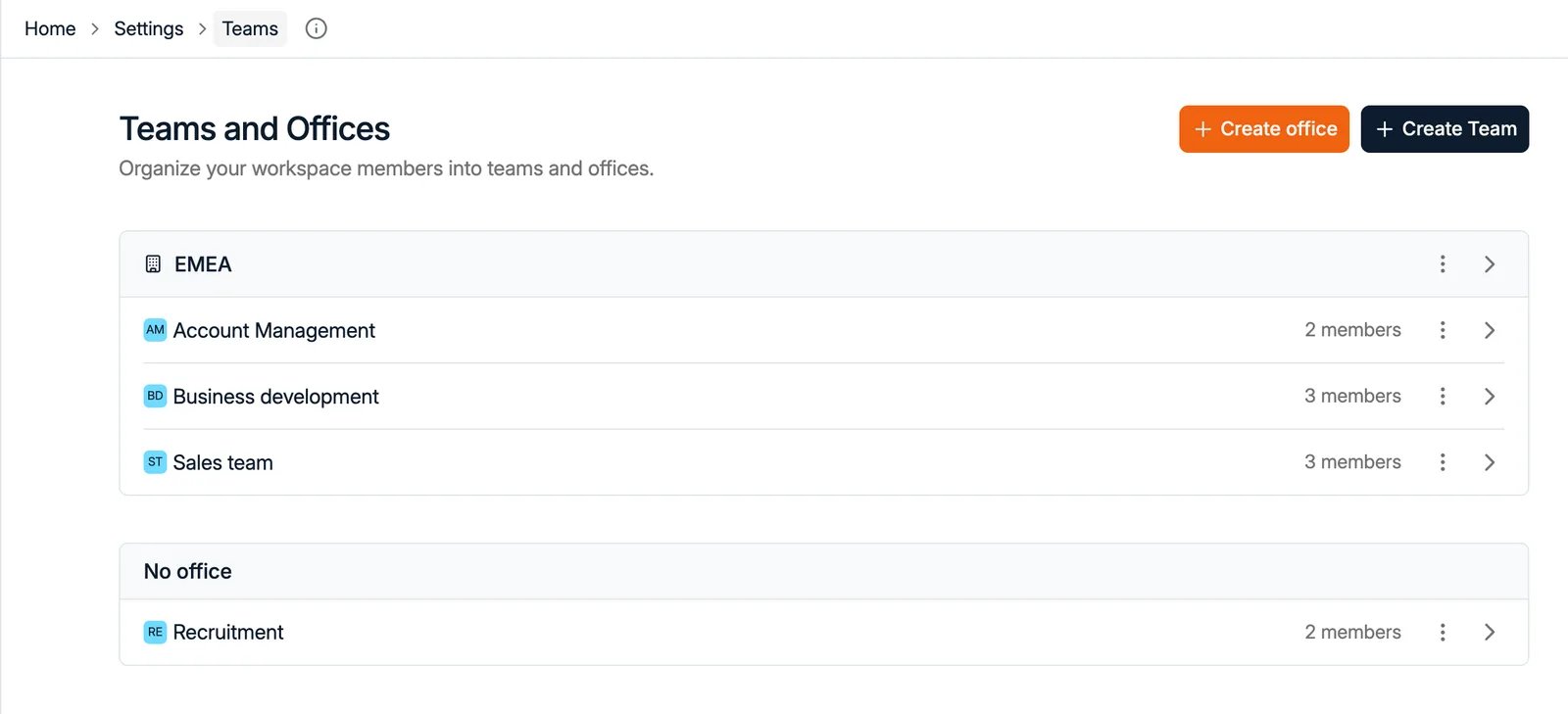
After creation, your new team appears on the Teams and Offices page, grouped under its office (or under No office), with its number of members. Click on a team name to view and manage its members.Add members to a team
Inside the team view, click Add user to team to assign existing users to this group.
Remove a team or edit details
From the main Teams list:- Open the three-dot menu on the team’s row to delete it.
- Or click the arrow icon to open and edit it.
Offices and teams
Both live under Settings → Teams, on a page titled Teams and Offices. The two buttons in the top right, Create office and Create Team, are the only way to add either. They sit at different levels. A team is a group of people. An office is a location that holds teams, and carries its own details:
On the Teams and Offices page, teams are listed beneath the office they belong to. Teams
that have not been assigned to one are grouped under a No office heading, so nothing is
hidden by leaving offices unused.
To move a team, open the office and use Add team, or remove it from the list there.