

Auto-updating uses enrichment credits. Credits are only deducted when an update is
successful. You can find credit pricing on the Billing page in Settings.
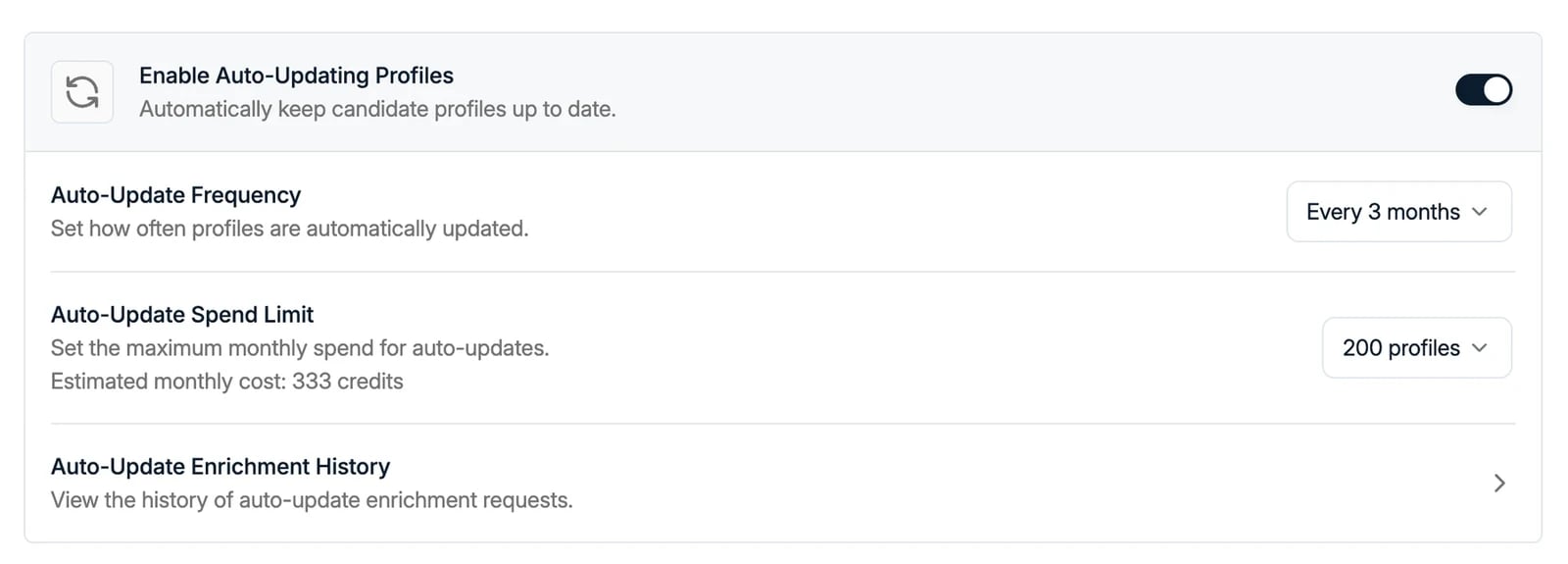
Enable Auto-Update Profiles
- Navigate to Settings → Features.
- Toggle Auto-Update Profiles on to allow Spott to regularly check LinkedIn for profile changes.
Configure auto-updating
Auto-Update Frequency
Set how often Spott should refresh LinkedIn profiles:- Every month
- Every 2 months
- Every 3 months
- Every 6 months
- Every 9 months
- Every year
Auto-Update Spend Limit
Set the maximum number of profiles that can be successfully auto-updated per month: 100, 200, 500, 1,000, 2,000, 5,000, 10,000, or 50,000 profiles. Spott shows the estimated monthly cost in credits for the limit you pick. The spend limit helps you control credit usage by capping how many profiles are updated each month. When the limit is lower than the number of profiles due, Spott works through them oldest first: the records created earliest are updated first, and the rest wait for the next month.Auto-Update Enrichment History
Click Auto-Update Enrichment History to review how auto-updating is performing and how credits are being used. You can see:- Total auto-updates for the current month
- Success rate
- Remaining credits available
