

Supported providers
SMS rides on your telephony provider, so you need a number that can send texts: Not every number on a VoIP account can send SMS. If a number does not appear in Spott, check with your provider whether texting is enabled on it.Turn SMS on
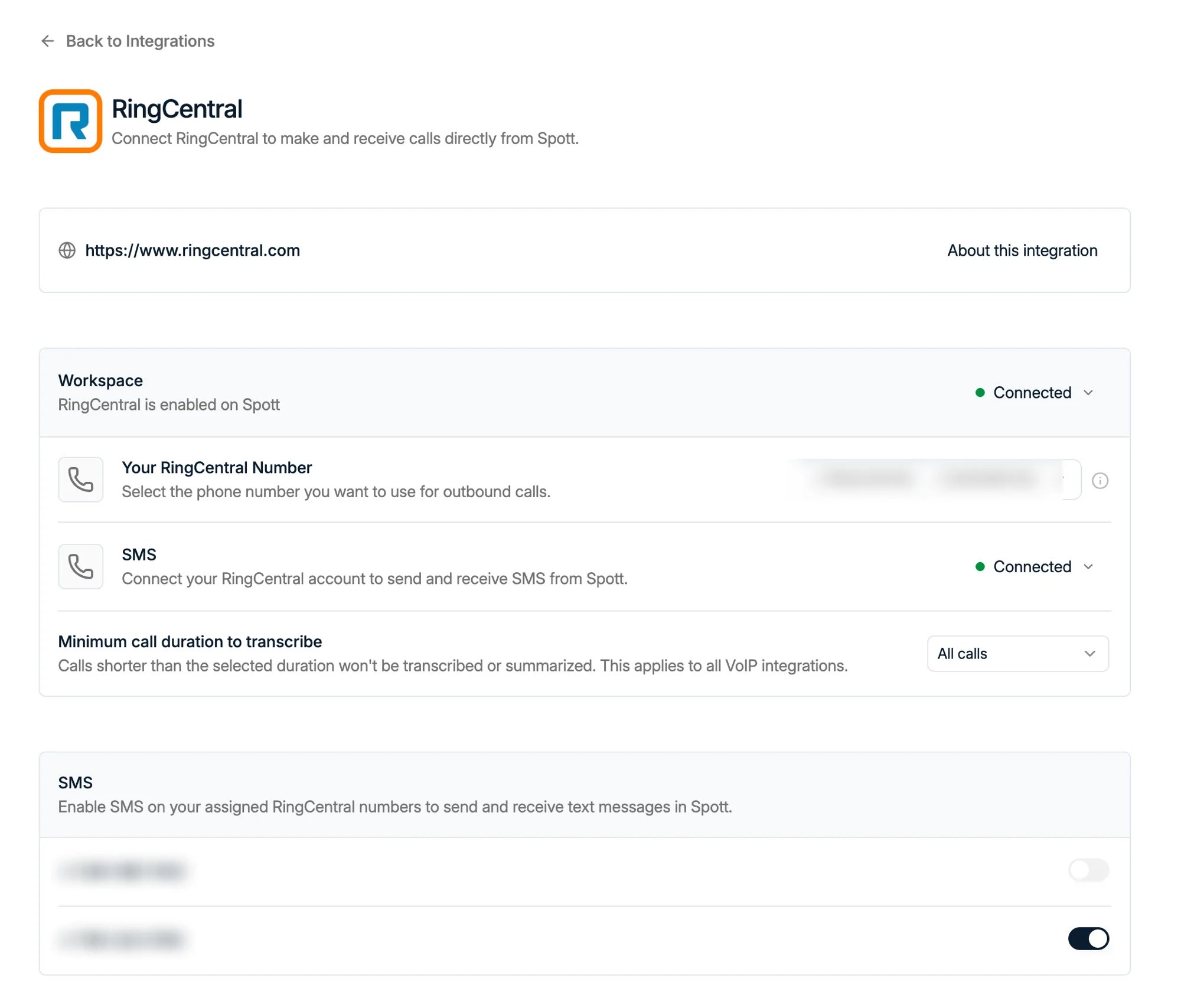
SMS is switched on per number, on your provider’s own page under Settings → Integrations. Open the provider, scroll to the SMS block, and toggle the numbers you want to text from.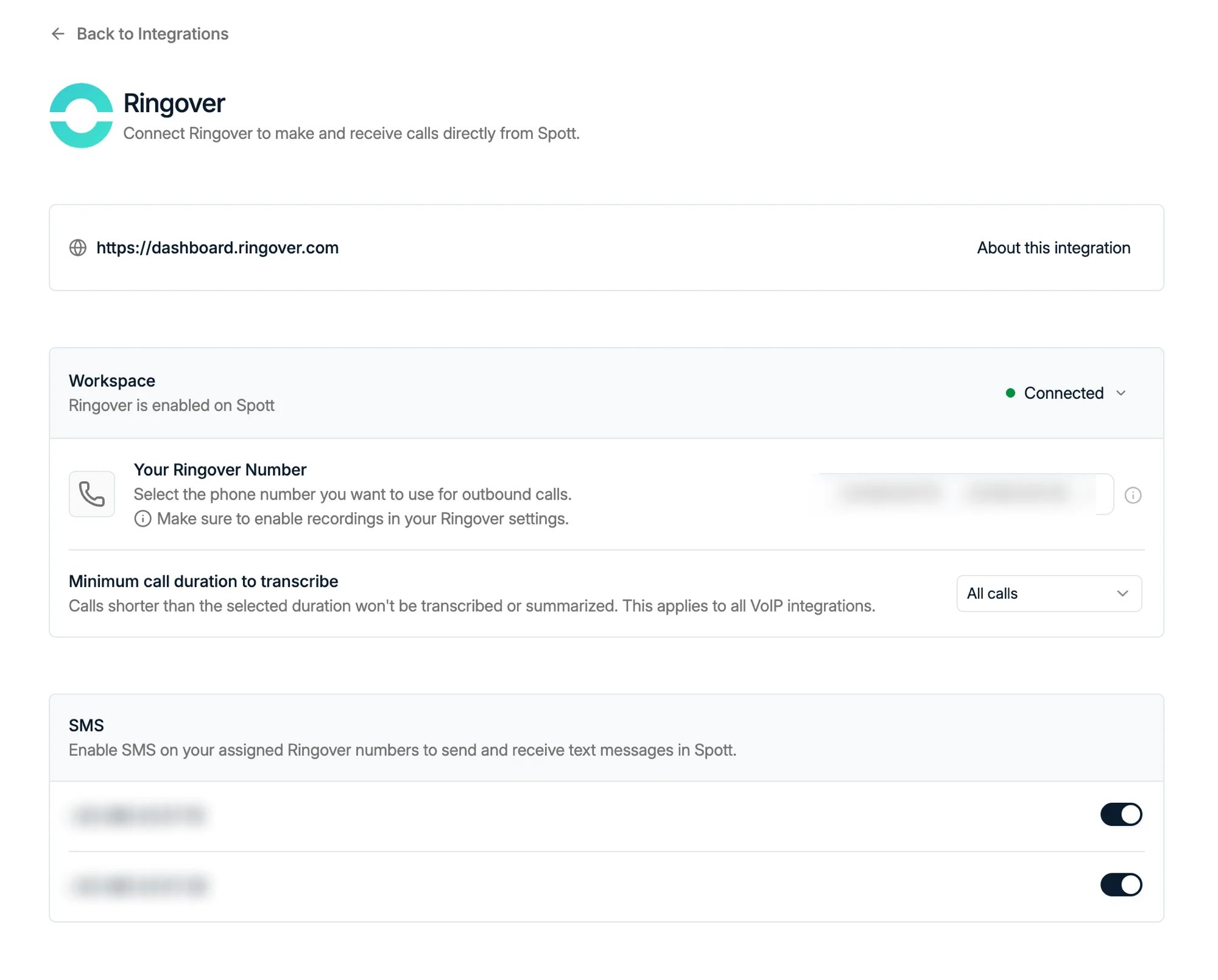
- Ringover is the simplest. SMS is enabled workspace-wide, so switching a number on is done once and it is on.
- RingCentral is per user. Alongside the number toggles there is an SMS row in the Workspace block where you connect your own RingCentral account, and every colleague has to do that for themselves. RingCentral constrains SMS to the individual account, and groups numbers by extension, so the numbers offered to you are the ones on your own extension.
- Aircall: see the caution below.
- RingRing has no self-service page under Settings → Integrations yet. The connection works, but support sets it up for you.
Send a message
Open a candidate or contact and go to their Communication tab. The channels available for that person are listed on the left: workspace channels such as Email first, then your personal ones, WhatsApp and SMS, each with the number the conversation runs on.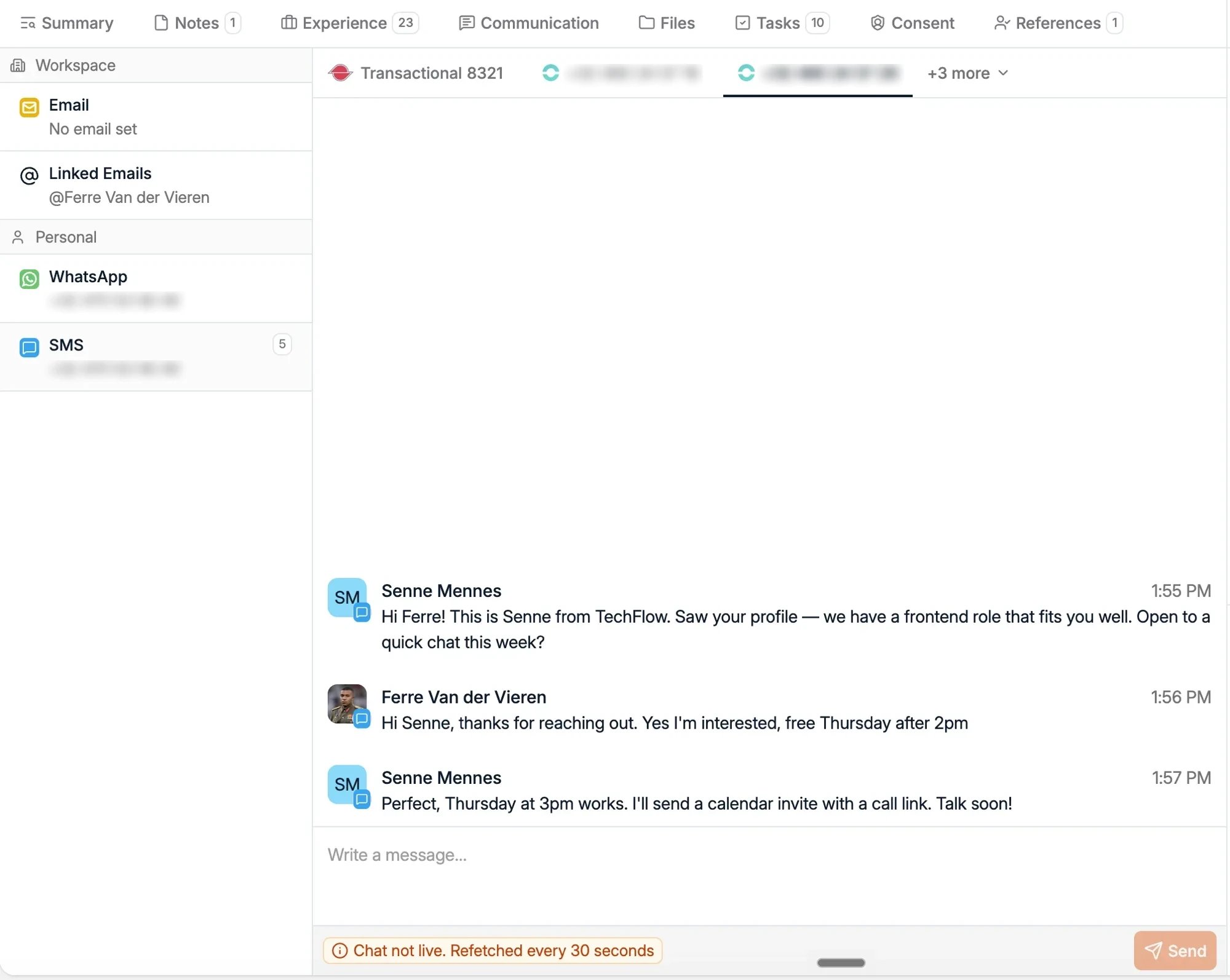
An SMS thread is not a live chat. Spott refetches the conversation every 30
seconds, so a reply can take up to half a minute to appear.
+32...) for
incoming messages to be matched to the right person, exactly as with
phone calls.
Who can see your texts
SMS threads are private to you, the user whose number they run on, the same way WhatsApp conversations are. Colleagues do not see them, and there is no sharing setting to widen that, unlike email visibility.Good to know
- No bulk texting yet. SMS is a one-to-one channel today: you cannot send it from a campaign, an automation, or a message template. Automated SMS is heavily regulated in several regions, which is why it is not simply switched on.
- Your provider bills the messages. Spott sends through your VoIP account, so texts count against whatever your provider charges for SMS.
- Numbers come from your provider. Spott does not issue phone numbers; add or enable an SMS-capable number on the provider’s side first.