

Open the Message Templates tab
From the left-hand sidebar, go to Inbox and click the Message Templates tab at the top. This page lists all your templates with their subjects, previews, and authors.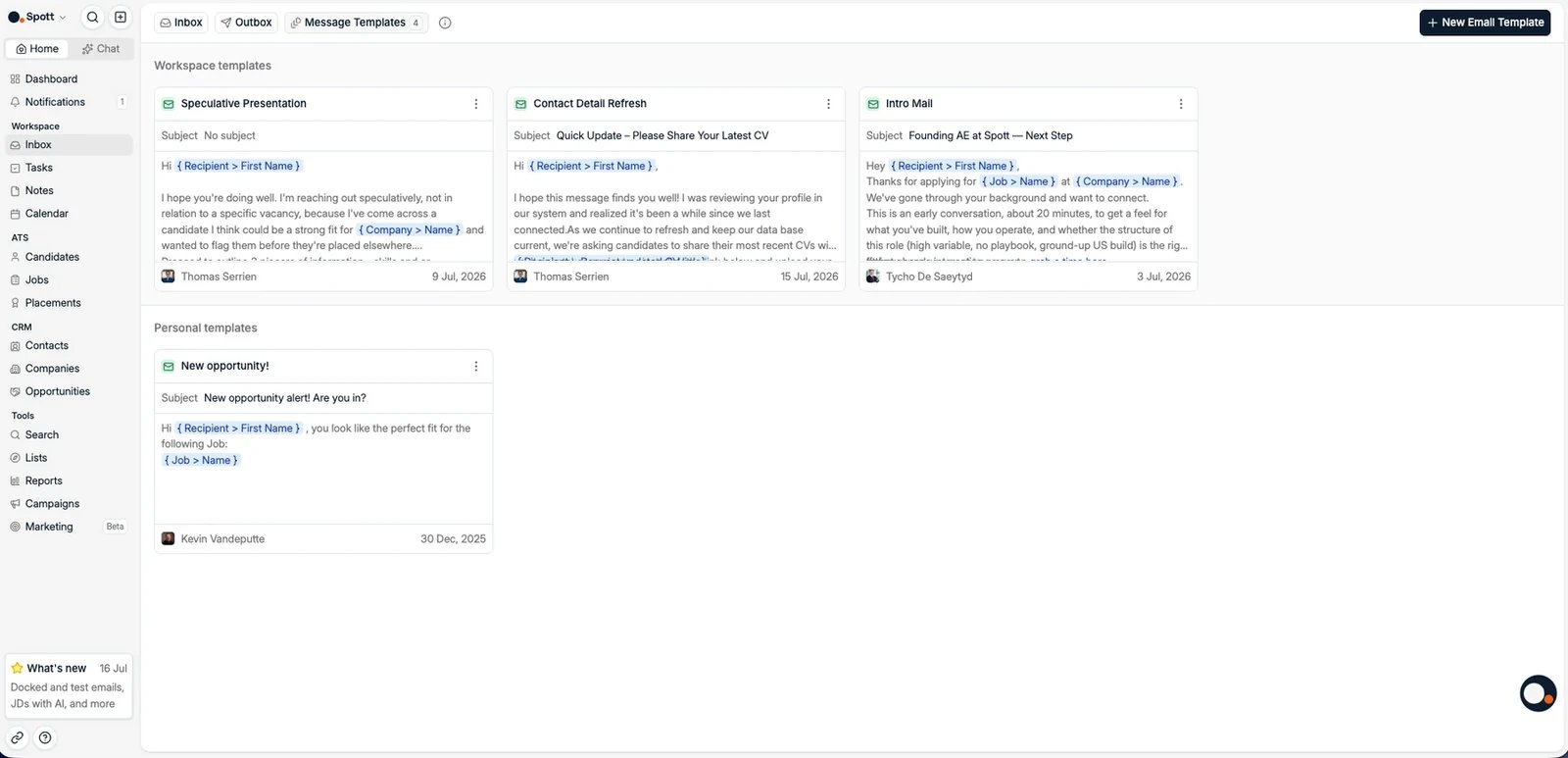
Create a new email template
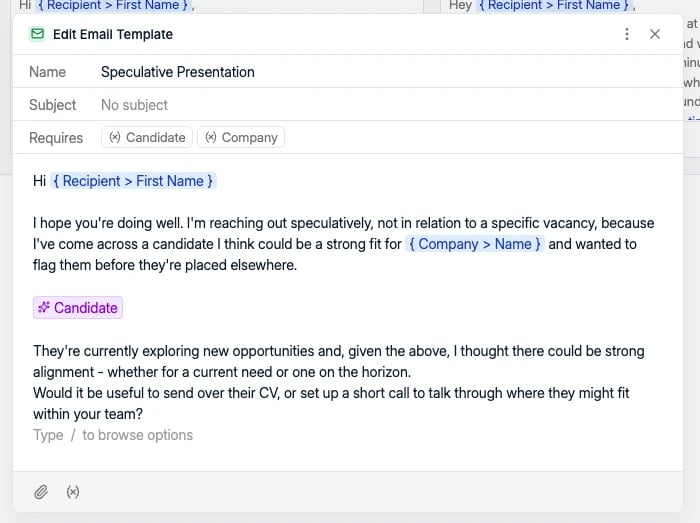
Click New Email Template in the top-right corner and choose whether the template is Personal or shared with the Workspace. In the editor you can set:- Name, for internal use
- Subject
- Email body content
- Attachments
Personalize with variables
Type{ in the editor to browse the available variables. They fill in automatically
when the message is sent, for example:
- Recipient > First Name and Recipient > Last Name
- The sender’s first and last name, the colleague using the template
- Candidate, Company, and Job fields, such as Job > Name and Company > Name
- AI Generated content, which writes a passage based on your instruction
Variables in the subject line
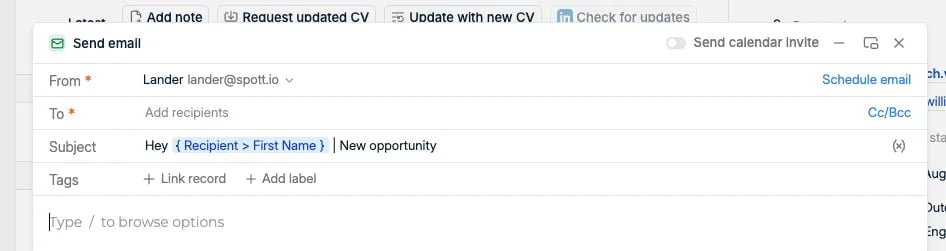
Variables work in the subject as well as the body. Type{ in the subject field and
pick a variable the same way, so a subject of
Hey { Recipient > First Name }, new opportunity goes out with the name filled in per
recipient.
AI-generated content
AI Generated content is not a fixed variable: you tell it what to write about, and it writes that passage per recipient when the message goes out. Write about picks the record it draws on: Recipient, Candidate, Contact, Company, or Job. Then give it an instruction, for example “invite the recipient to review the information in a friendly but professional tone”. Spott uses that record’s data to write the passage, so the same template lands differently for every person on the list.
Auto-save and usage
Templates are saved automatically as you type. There is no save button. Once created, templates are available when composing messages in the Inbox, in campaigns, and in automations that send an email. In the Inbox, Start from template in the composer toolbar lists your workspace and personal templates, so you never have to leave the conversation to fetch one.