

Present a candidate
- Open the candidate, or their application, and click Present in the top right.
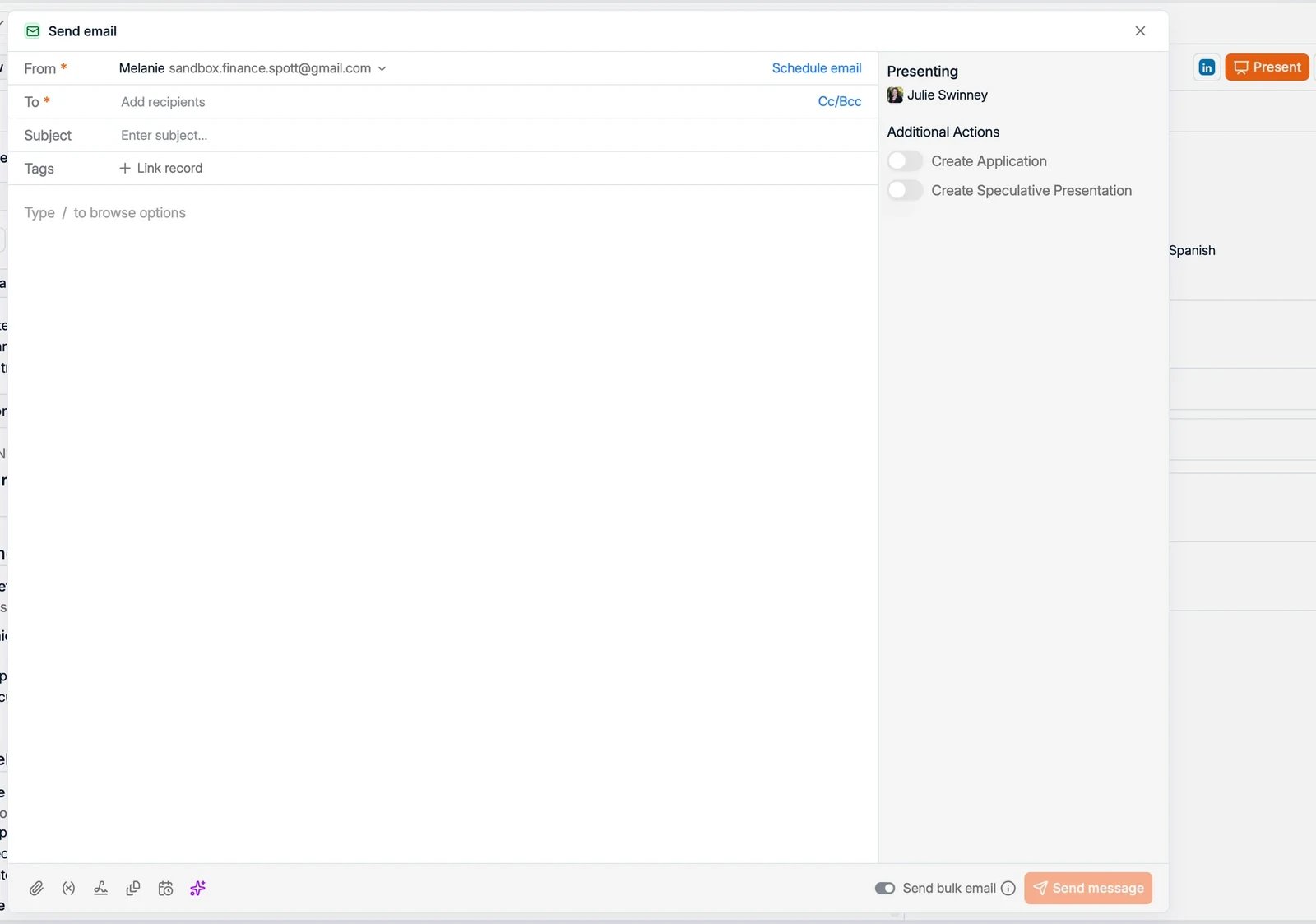
- A Send email opens, set up for presenting the candidate. The subject is filled in for you, for example “Presenting Steven Brower for Account executive”.
- Add the client recipients and write your message.
Attach a CV or report
The panel on the right, under Browse files for the job and candidate, holds the documents you can attach. It groups what the records hold, so Reformatted CVs lists the formatted CVs you generated, and a group only appears once there is something in it. Where Generate candidate report is offered, it sits under Reports and writes one without leaving the email; reports you generated earlier stay listed there. It is not always available, and when it is missing you attach a document the record already holds instead. See candidate report. The panel is not limited to CVs and reports. It lists the other documents held on the records too, such as a portfolio, a certificate, or a signed document, so the attachment you need is rarely one you have to go and find on your desktop. Nothing is attached for you. Drag the file from that panel onto the body of the email until “Drop files here” appears. Clicking a file only opens a preview, which is the usual reason a presentation goes out with no CV on it. See CVs & client documents for what each document contains and how it is generated.Additional actions
While presenting, you can also do either of the following in the same step:- Create Application: add the candidate to the job’s pipeline as you present them.
- Create Speculative Presentation: log the presentation when there is no active role for the candidate.
Present to several jobs from the profile
A strong candidate often fits more than one open role. Present them from their profile and you can pick up to 10 jobs in one go. Spott creates the application on each job, or moves the existing one, so the pipelines reflect the presentation without a second step. Each job still gets its own email, addressed to that job’s contacts, because a hiring manager should only see the role that is theirs. A contact who sits on two of the jobs receives two emails. The move and reject switches are not in this dialog, since there is no single application for them to act on.Generate a shortlist document
To send a client several candidates in one document instead of one presentation each, select them in the Candidates table and use Generate Shortlist under Candidate Actions. See shortlists.Present to several contacts at once
Start from a list of contacts or a filtered view on the Contacts page: select the contacts and present the candidate to all of them in one action. You can also bulk-present several candidates at once from the Candidate table or from a job pipeline.Send bulk email: one mail or one each
With more than one recipient in the dialog, Send bulk email decides how the message goes out. It does not add recipients.- On: every recipient receives their own individual email, and none of them sees the others.
- Off: all recipients receive the same email and share one thread, which is what you want when a hiring manager and their colleague should be able to reply to each other.