Set up the job’s scorecard first
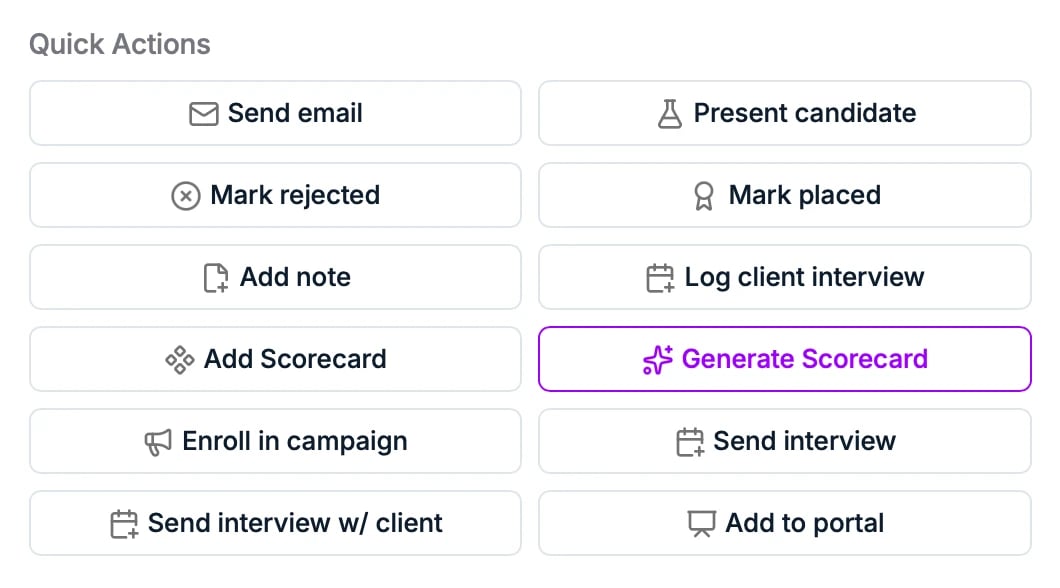
A scorecard belongs to a job, not to a candidate: it is the list of criteria in the Scorecard section of the job’s Overview tab, and every candidate on that job is scored against the same list. Set it up there before you start interviewing. In Quick Actions on the job, Add Scorecard lets you build the criteria yourself and Generate Scorecard has AI write them from the job description and sourcing criteria. Once the job has one, the same actions read Edit Scorecard and Regenerate Scorecard.
Generate Scorecard writes the criteria from the job description, so a job whose
Overview has no description yet has nothing to generate from. Fill in the description
first, or build the criteria by hand.
Reuse a scorecard across jobs
Most agencies interview for the same kinds of roles over and over, and rebuilding the same criteria on every job wastes the effort that went into getting them right the first time. Your workspace keeps a library of scorecard templates, as many as you need, and applying one fills a job’s scorecard instead of you starting from a blank list. In Configure Score Card, Apply template lists the templates your workspace has saved, each with a short description of what it is for, such as a technical skills screen or a first social interview. Pick one and its criteria fill the scorecard, ready to adjust for this particular role. Templates are shared with the whole workspace and only an admin can create or change them, so the library stays a deliberate set rather than filling up with one-off variants. They are built under Manage templates, at the bottom of the same menu, or under Settings → Templates → Scorecard Templates. There is no save-as-template action in this dialog: a scorecard you have just assembled by hand stays on the job, and turning it into a template means building it again under Manage templates.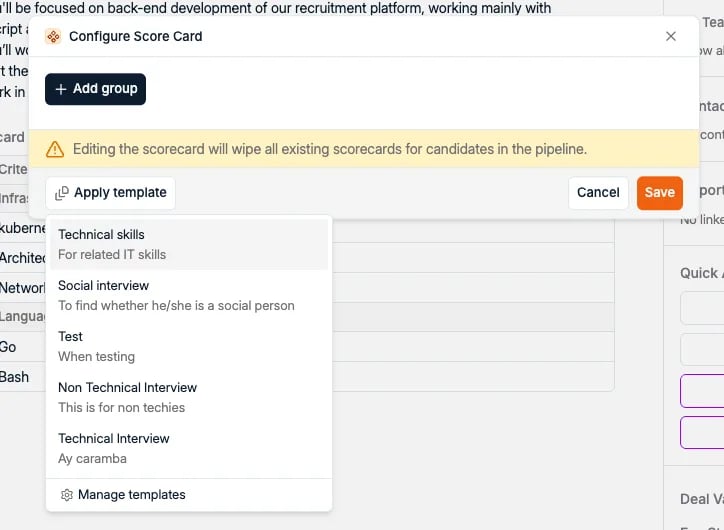
Add a scorecard
From a candidate’s application, open Quick Actions and choose:- Add Scorecard to create a scorecard you fill in yourself, or
- Generate Scorecard to have AI fill it in first.
When Add Scorecard is greyed out
Both actions are unavailable on an application until the job has a scorecard, because there are no criteria to score anyone against yet. This is the usual reason the buttons look dead on a candidate you are about to interview, and it is fixed on the job rather than on the application: go to the job’s Overview tab and set the criteria up as above.Generate a scorecard with AI
Generate Scorecard opens a dialog where you pick a language. The AI then rates and comments on every attribute in the scorecard, based on the candidate’s profile and the vacancy details.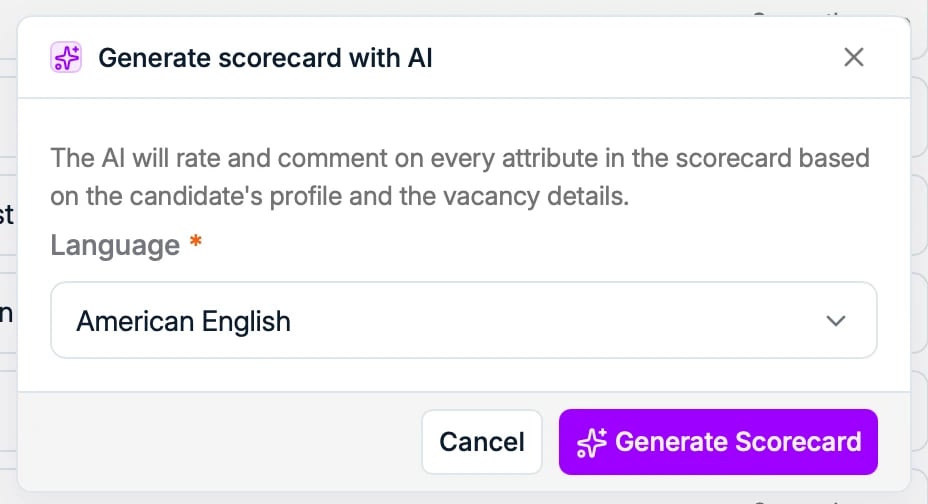
Read and edit a scorecard
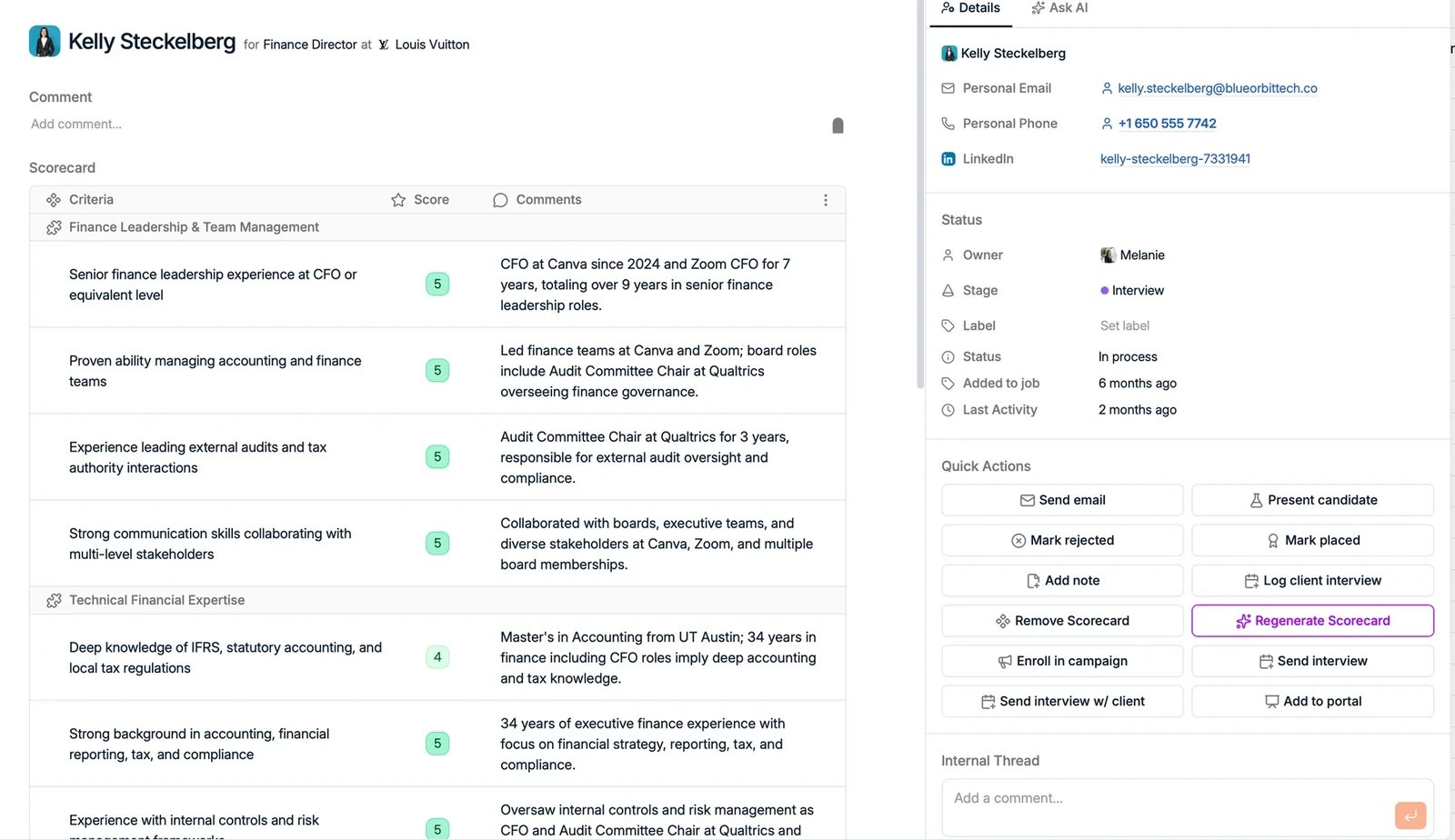
The scorecard is a table with three columns:- Criteria: the requirements pulled from the job, such as “Minimum 5 years B2B sales experience”.
- Score: a color-coded rating of how well the candidate meets each criterion.
- Comments: the reasoning behind each score.