

Install the Extension
- Chrome
- Edge
1
Open the Chrome Web Store
Go to the Spott extension page
on the Chrome Web Store.
2
Add to Chrome
Click Add to Chrome and confirm with Add extension.
3
Pin the extension
Click the puzzle-piece icon in the toolbar and click the pin icon next to
Spott so it stays visible.
4
Open the extension
Click the Spott logo in your toolbar to open the side panel.


Use the Extension
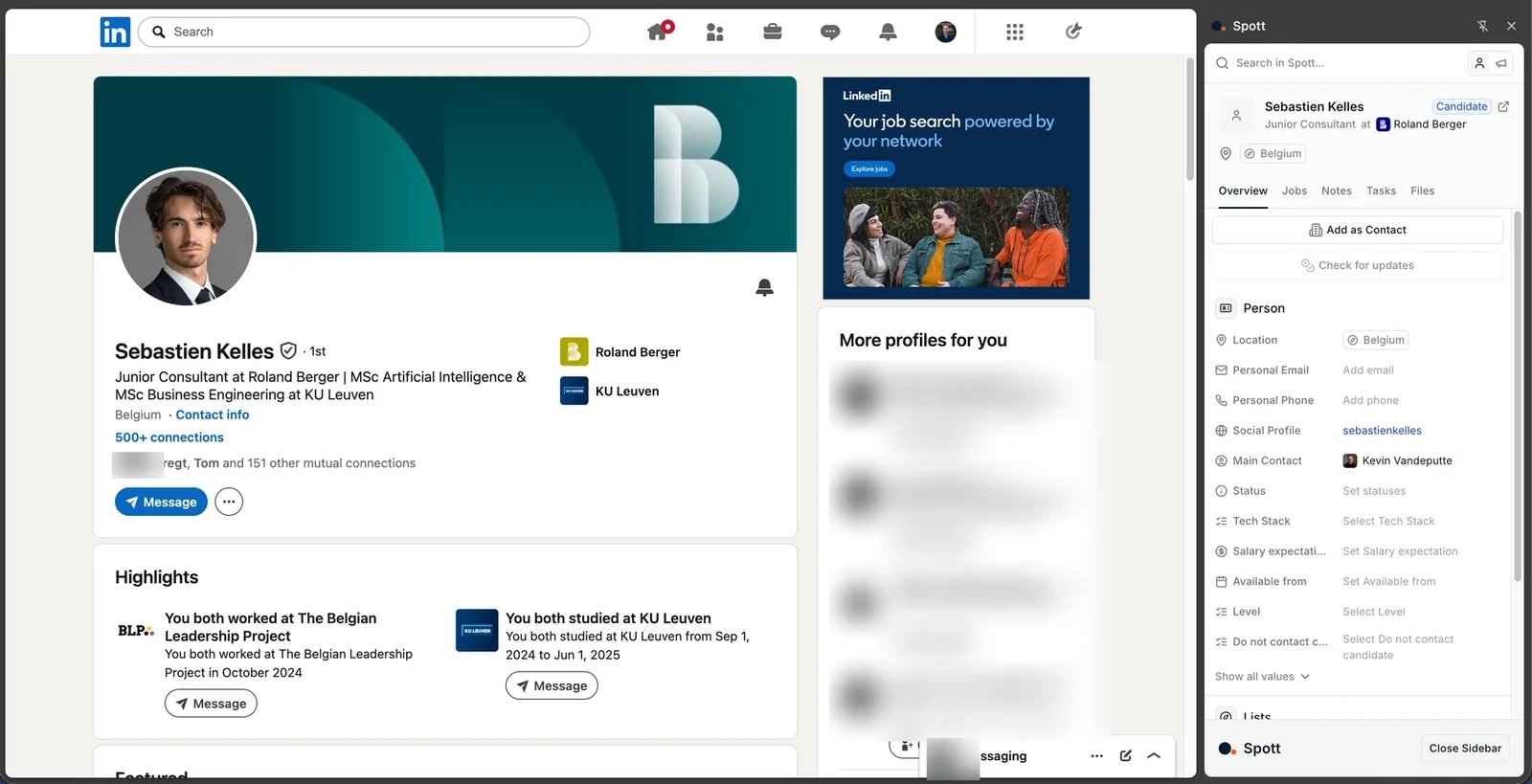
Once installed, the extension covers five things: importing people, importing companies, importing jobs, working in Spott without leaving the page you are on, and managing campaigns.Import a candidate or contact
Open a profile with the side panel open and import it into Spott. This works on ordinary LinkedIn profiles and, with the matching license, on Sales Navigator profiles, in a single click. On Recruiter, one click only works for a profile Spott already knows; for anyone else, paste their public profile URL into the Public Profile URL box, as described below.You import one profile at a time. Saving a profile to a LinkedIn Recruiter project
does not sync it into Spott: import is always a manual, per-profile click from the
extension. The exception is an inbound application already linked to a job in Spott.
When someone in Spott shows as not in your database
The extension matches people by their LinkedIn URL, which produces two cases where a candidate you certainly have looks like a stranger. On LinkedIn Recruiter, profiles are identified by an internal Recruiter ID rather than a public URL, so unless that person was first linked from a Recruiter page, Spott cannot recognise them. To fix it for good, paste their public profile URL into the Public Profile URL box in the extension panel and click Import as Candidate. Spott matches the record you already have, and recognises them on Recruiter pages from then on. The same box is how you import someone from Recruiter who is not in Spott yet. On an ordinary profile, a person whose Spott record carries no LinkedIn URL at all cannot be matched by URL either. The import falls back to the email address and phone number LinkedIn exposes, which links the existing record when they are there. Where LinkedIn shows neither, the import creates a duplicate, so add the LinkedIn URL to the record afterwards to stop it happening twice.Import a job
Import any publicly visible job posting from the internet straight into Spott as a job record. See adding and managing jobs. The same import creates an opportunity instead, for teams who qualify a posting as a deal before it becomes recruitment work.Work while you browse
The panel gives you Spott itself next to the page: add notes and tasks, update a person’s status, and add them to a list, without switching tabs. A task’s Priority can be set in the task editor, or changed straight from the priority icon on the task card, and Specific time gives it a time of day as well as a due date. It also carries comments, the same thread you would see on the record in Spott. Read what a colleague already said about someone while you are still on their profile, and reply or@mention from the panel.
Manage campaigns
On a person’s profile, the panel’s Campaigns section shows every campaign they are enrolled in. Each one carries its status, such as Live or Completed, and the date they were added. For a live campaign you also see which step they are on and what kind of step it is, with a bar showing how far through the sequence they are. The arrow icon next to a campaign opens it in Spott. To enroll the person in another campaign, click Add to Campaign. Tick Only mine, next to the search box, to list just the campaigns you created; the extension remembers the choice. Colleagues’ campaigns still show when it is off, greyed out with “Only the owner can enroll recipients into this campaign.” when their creator has not let others add people.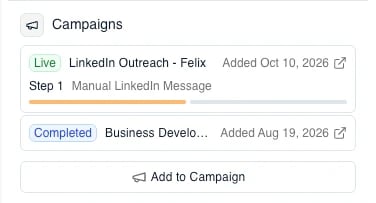
Work through your campaign tasks
You do not have to open a profile to get to your campaign work. At the top of the panel, next to the search bar, click the campaign icon (the megaphone; the person icon beside it takes you back to profiles).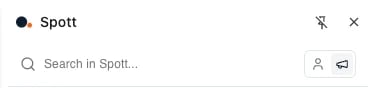
- Mark completed marks the task as done. The campaign continues with the next step for that person, and the extension opens the profile of your next task.
- Exit campaign, under the … menu, completes the task and removes the person from the campaign, so no further steps are sent. This also takes you to your next task.
- Delete task, also under the … menu, removes the task and stops the campaign for that person. No further steps are sent, and the campaign overview marks them with Task deleted.
Import a company from LinkedIn
Open a company’s LinkedIn page with the side panel open:-
If the company is not in Spott yet, the panel says so and offers Import as
Company. Spott pulls the details from the company page into a new company record.
You can also create a contact at a company Spott has never seen, without going into
the app first to add the company: the same flow that works in Spott now works from the
panel.

-
If the company already exists, the panel shows that record instead: an
Overview with its fields (industry, size, stage, sector, SIC code) and a
Contacts tab with the people you already have there. You can edit the fields and
add the company to a list without leaving LinkedIn.
