

Download for iOS
Spott on the App Store
Download for Android
Spott on Google Play
What you can do
- Search everything, instantly. Find candidates, contacts, jobs, and notes in seconds, wherever you are.
- Catch up on meetings. The meetings the Note Taker joined bring their details, transcript, and summary to the phone, and play back their video recording when one was made, so the debrief from this morning happens between appointments rather than back at the desk. See meetings and transcripts below.
- Read and update candidates and contacts. Open a record and change the details that go stale between meetings, without waiting for a laptop. See working on a record below.
- Keep tasks moving. Every record has a Tasks tab where you can add, edit, and tick off follow-ups.
- Add a candidate from a document. Upload a file from your phone, or photograph one on the spot, and Spott parses it into a candidate. See creating candidates from your phone below.
- Scan documents for a record. Scan a signed contract or an ID on the spot and attach it to the record’s Files tab from the web app. See scanning documents below.
- Capture notes on the go. Create and edit notes in real time so you and your team stay aligned.
- Record in-person meetings. Meeting someone face to face? Record the conversation in the app. It runs through the same pipeline as the desktop Note Taker: Spott transcribes it, summarizes it, and creates a note. On the phone you get the summary; the transcript waits for you in the web app. See recording a meeting in person below.
Meetings, transcripts and recordings
The Meetings screen lists what you have had and what is coming, with a Calendar tab beside it for the schedule view. Open one to read its transcript and summary.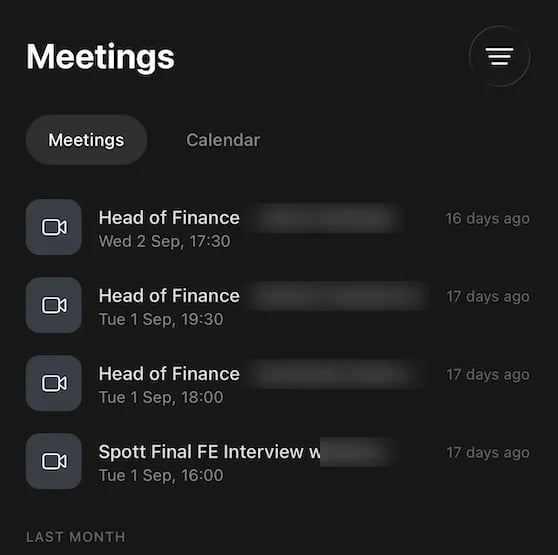
Recording a meeting in person
Record a conversation you are having face to face and Spott transcribes it, summarizes it, and files the summary as a note titled Audio Recording Summary, so the meeting is written up without you taking notes while the other person is talking. On the phone you find it under Notes, on the record you tagged. To hear the conversation again, open the note. On the web, a Mobile app recording banner on it links to the recording’s page, with the audio and the full transcript; the mobile app plays the recording and shows the transcript too. There is no separate list of recordings; the note is where each one lives. On the recording’s page, Add a manual note in the Notes section writes a note that is linked to the recording for you. Anyone in the workspace who can open the note can play the recording, not only the person who made it, so tag and share the note with that in mind. If the transcript came out in the wrong language, fix it in the web app. On the recording’s page, Retranscribe and resummarize asks for the Language spoken in this recording and processes it again. The new summary is written in English. The mobile app cannot re-transcribe.Working on a record
Open a candidate or a contact and you get three tabs:- Overview, the details on the record, which you can edit from the phone.
- Notes, everything written about them, where you can add another.
- Tasks, the follow-ups linked to this record.
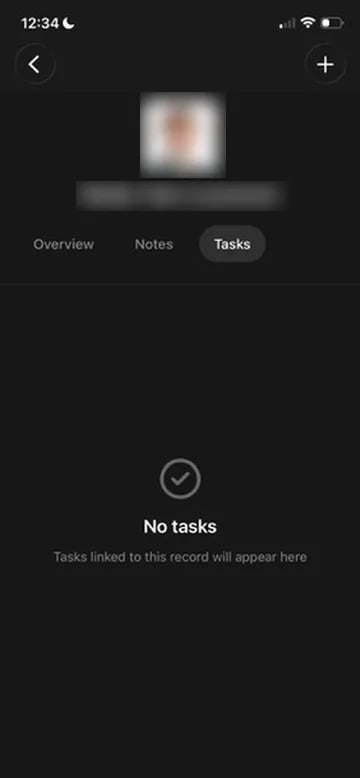
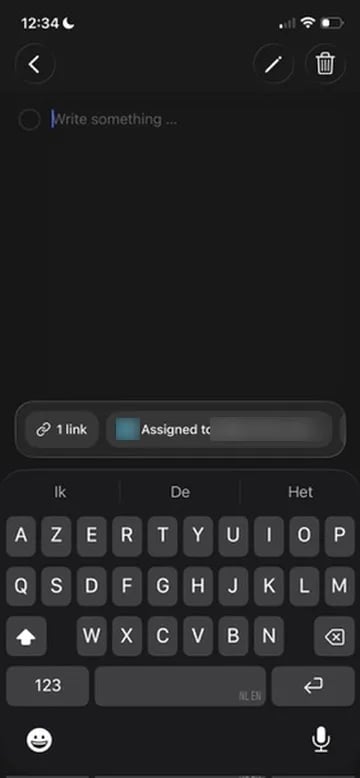
Editing on the phone covers candidates and contacts. Companies and jobs are
readable, but the record you change on the go is a person.
Create a candidate from your phone
Meeting someone at a job fair, handed a printed CV, or looking at an ID card across a desk? You can turn that document into a candidate record without waiting until you are back at a laptop. In the app, upload a file from your phone or capture one with the camera. Spott runs it through the same CV parsing flow as a desktop upload, reads the details out of the document, and creates the candidate from them. Printed CVs, ID cards, and other candidate documents all work, because the parser accepts photographs and image files as well as PDF and DOCX.File upload needs version 1.30 or above of the app, on iOS and Android. If you do
not see the option, update from the App Store or Google Play.
Scan a document for a record
Handed a signed contract, a certificate, or an ID during a meeting? Scan it in the app’s Scan tab and tag it with the kind of record it belongs to: Candidate, Job, Company, Contact, Opportunity, or Placement. Attaching it to the actual record happens on the web app. Open the record’s Files tab and choose Select upload from mobile app to pick the scan. That works on candidates, companies, jobs, and opportunities. Scans tagged Contact or Placement cannot be attached to a record from the web app yet. Both lists start with your own scans. In the app, the Show scans menu on the Scan tab switches between My Scans and All Scans. On the web, the Select upload from mobile app dialog has a User filter set to you, with All users to see what colleagues scanned.What the app is not
The mobile app is not a phone-call recorder. It cannot:- Record an actual phone call.
- Tap into WhatsApp, FaceTime, or any other voice line.
- Merge with or listen in on your device’s phone calls.