

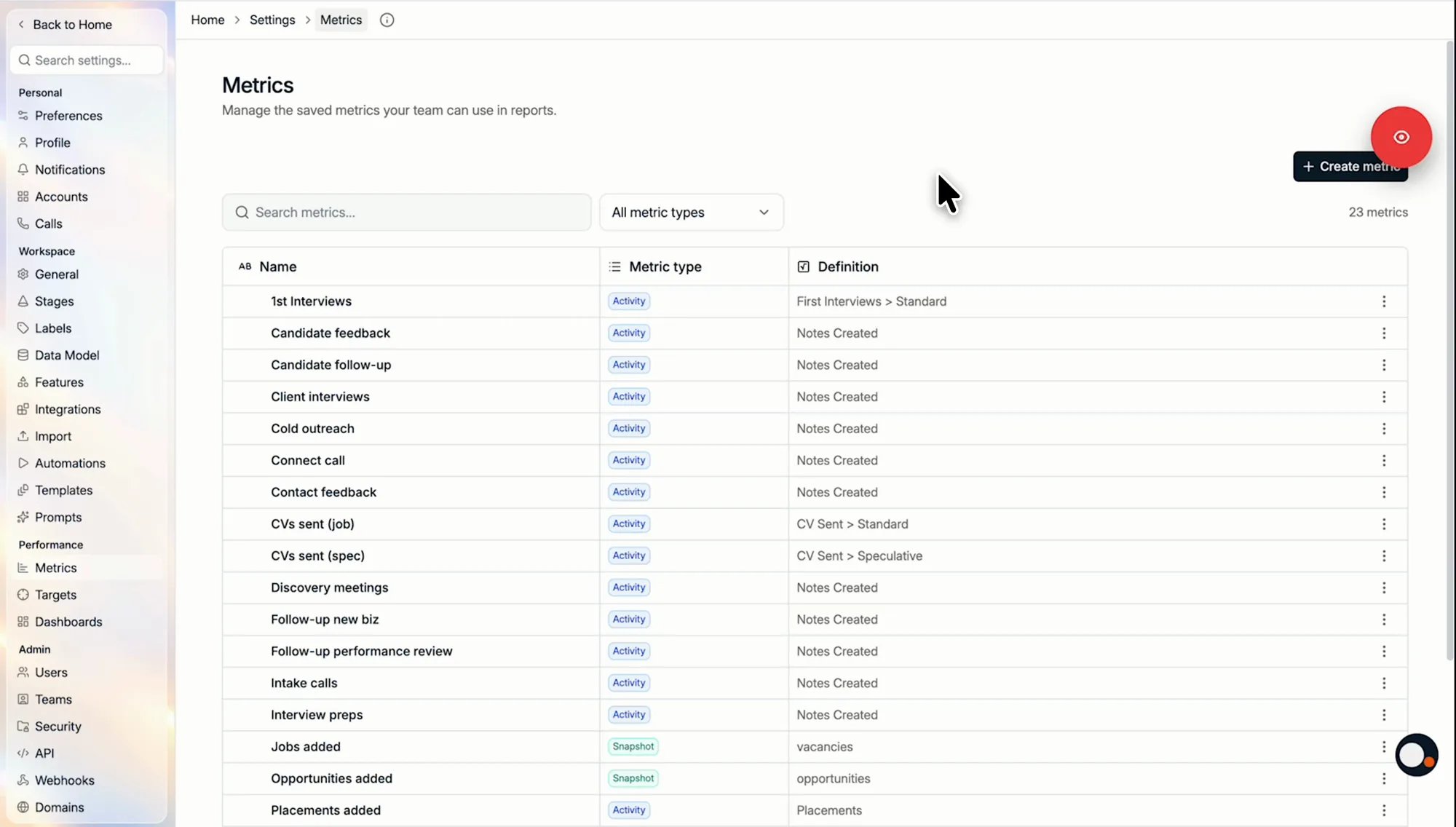
Find a metric
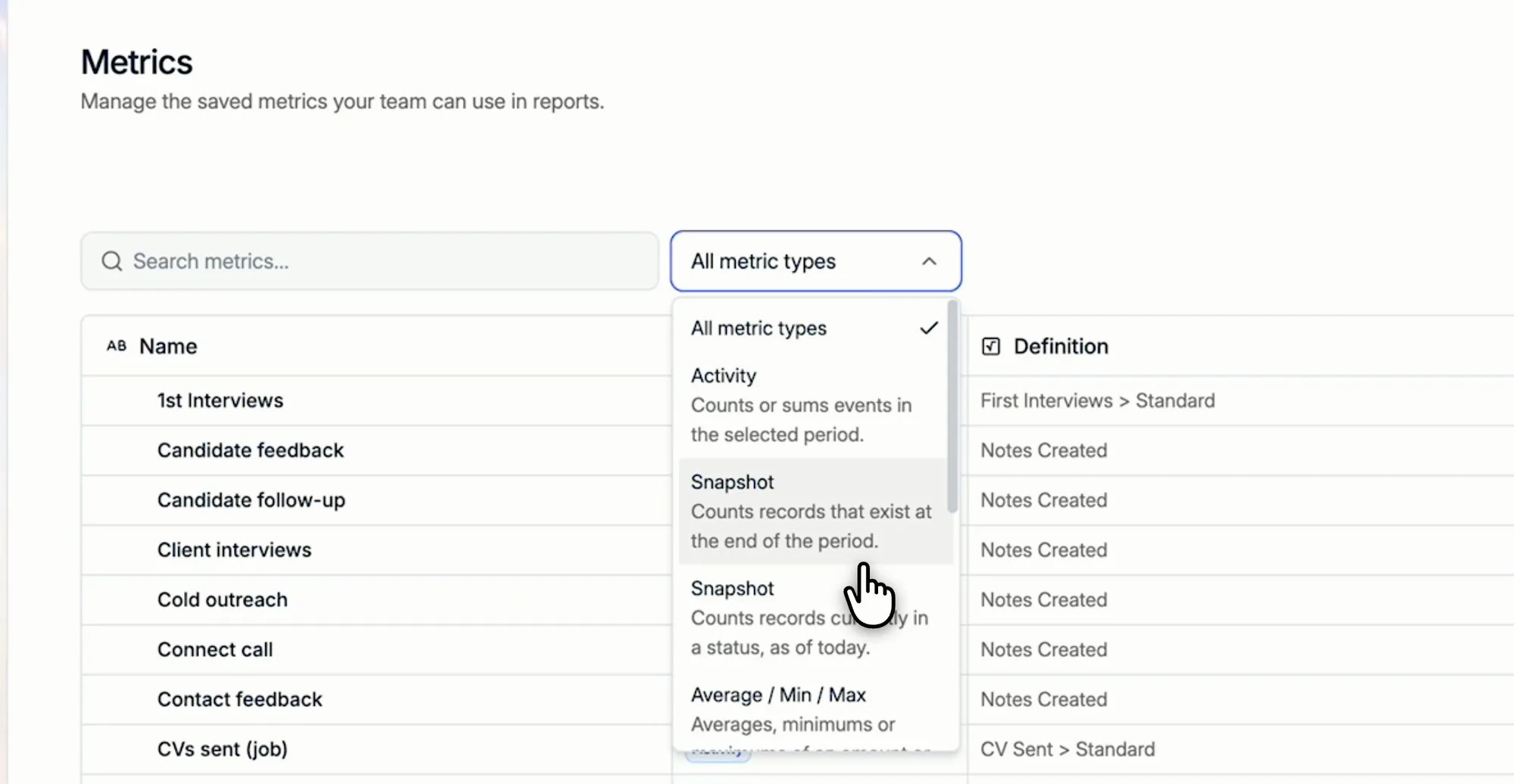
The Metrics tab lists every saved metric in your workspace with its type and definition. Search by name, or filter the list by metric type:- Activity: counts or sums events in the selected period.
- Snapshot: counts records that exist at the end of the period, or records currently in a status, as of today.
- Average / Min / Max: the average, minimum, or maximum of a value.
- Ratio: one metric divided by another.
- Sum/Difference: metrics of the same type added together or subtracted.
- Needs update: the metric uses a definition that is no longer supported. Targets and new charts cannot use it until you edit and save it again.
Create a metric
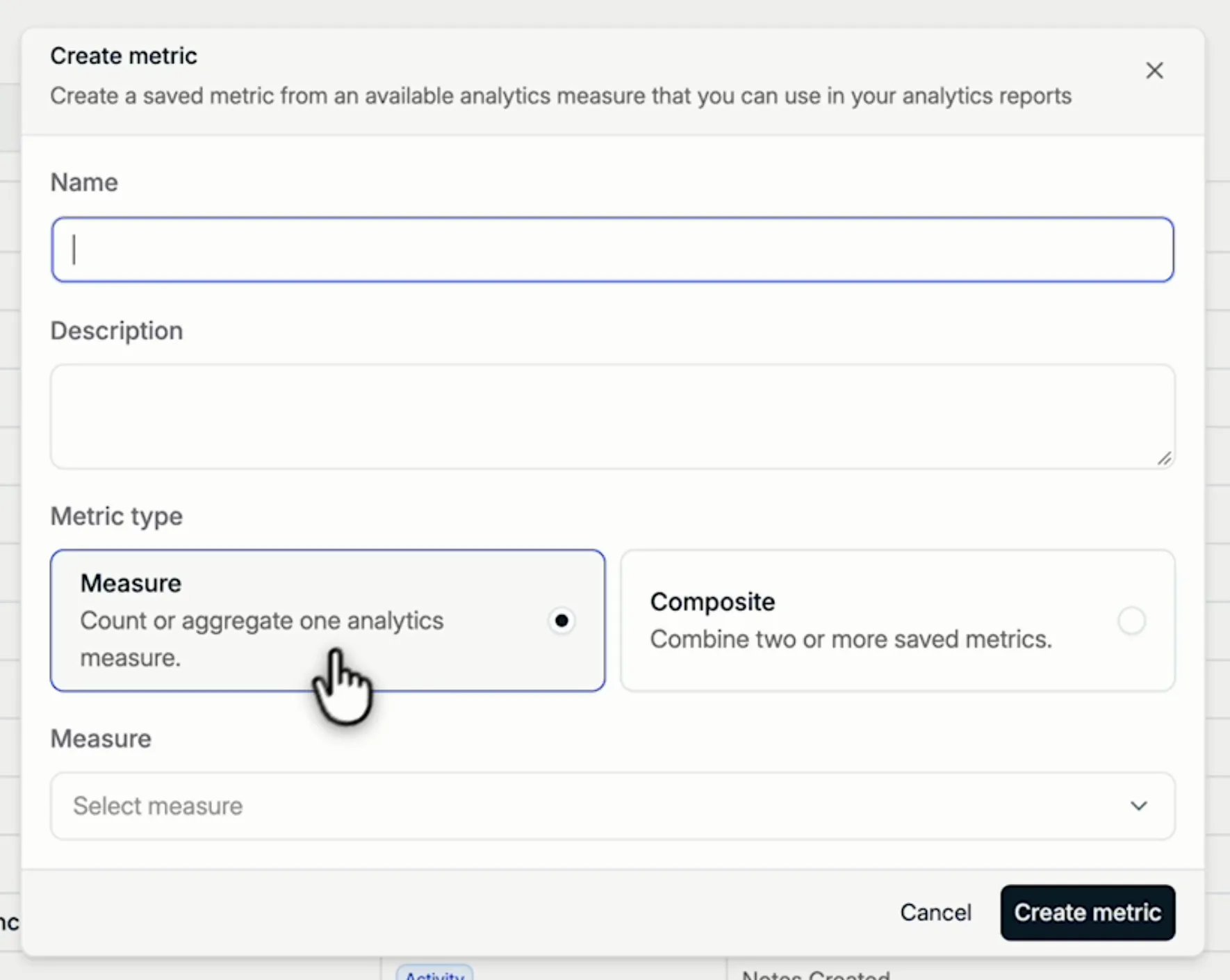
- Click Create metric.
- Enter a Name and, optionally, a Description. The description is shown next to the name when someone picks a metric for a target, so it is the place to say when the metric applies.
- Choose the Metric type:
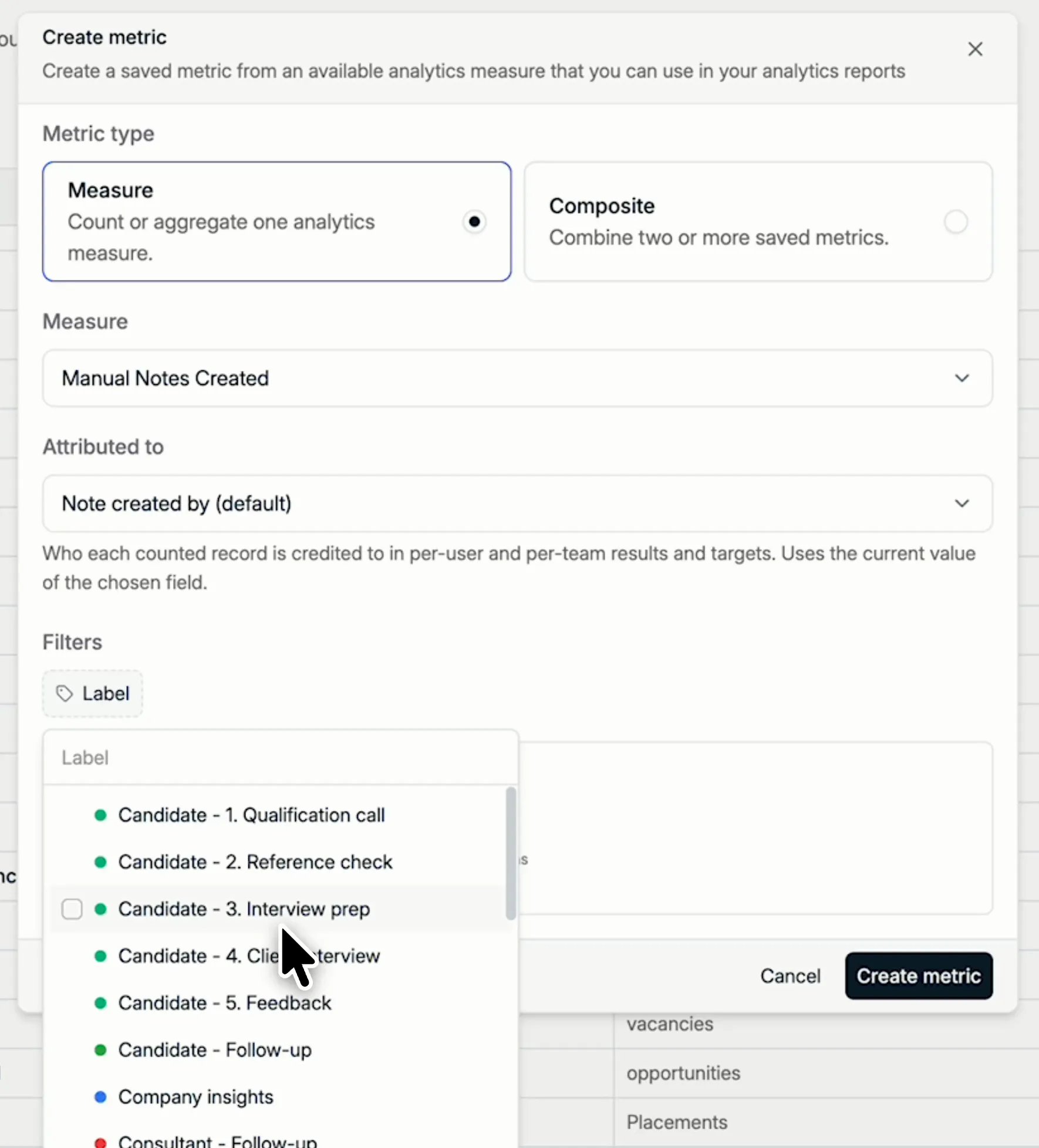
- Measure counts or aggregates one analytics measure.
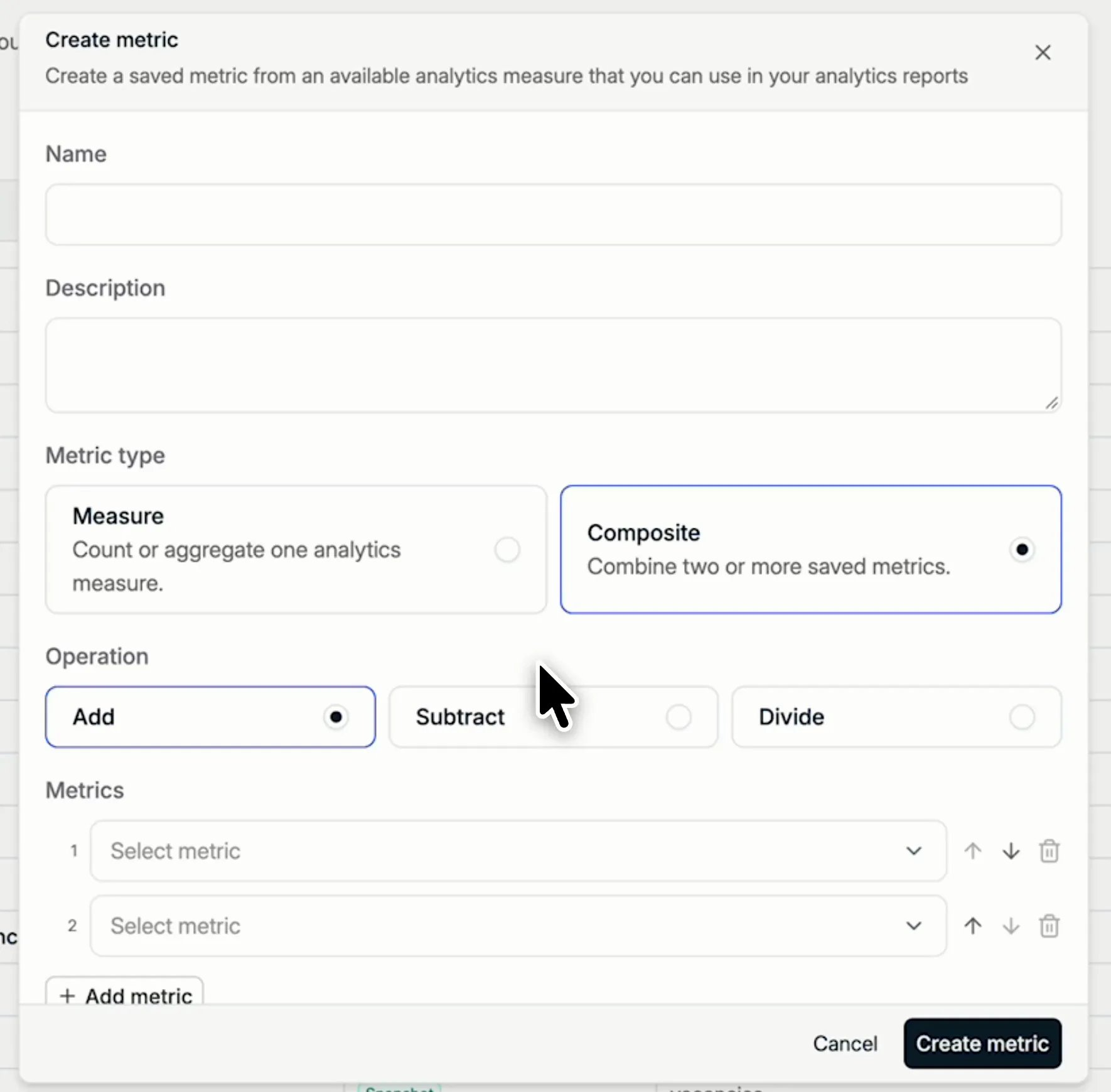
- Composite combines two or more saved metrics.
- Fill in the remaining fields, described below, and click Create metric.
Measure metrics
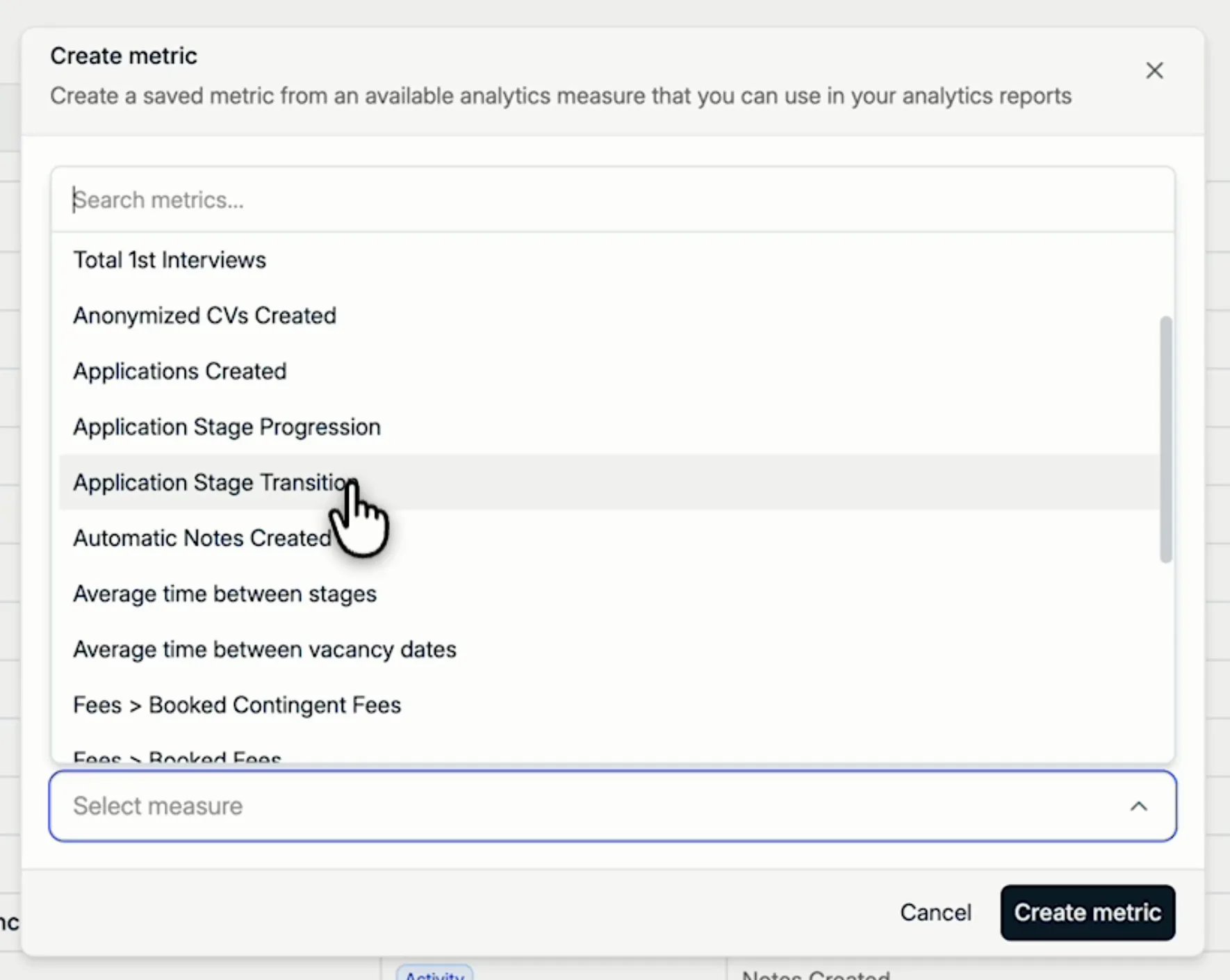
For a Measure, pick the Measure you want to count: applications created, notes created, booked fees, first interviews, average time between stages, and the rest of the list. It also offers two measures for pipeline stages:- Application Stage Transition counts the moment an application is moved to one specific stage.
- Application Stage Progression counts applications that are moved to or past a stage.
- Notes per label. Pick Manual Notes Created and filter on a note label to measure one kind of activity, such as a candidate call, an interview, or a screening call.
- Booked fees for part of the business. Filter Booked Fees by Team, User, User in Office or User in Team, or by job type, to measure only part of your business.
Composite metrics
A Composite metric combines saved metrics with an Operation:- Add: the sum of two or more metrics.
- Subtract: the difference between metrics.
- Divide: a ratio between two metrics.
Edit a metric
To change a metric, open the ⋮ menu at the end of its row and choose Edit. This is also how you fix a metric marked Needs update.Next: set targets
Give people, teams, or the company a goal on each metric.