

Migrating a full ATS with jobs, applications, and history? Our team can run that for
you instead. See Data migration.
1. Import a candidate CSV
The import wizard bulk adds candidates to Spott, for example when migrating from another system or uploading a sourcing list. Each row in your file becomes one candidate. You can import up to 1,000 records per import, from CSV or Excel (.xlsx) files.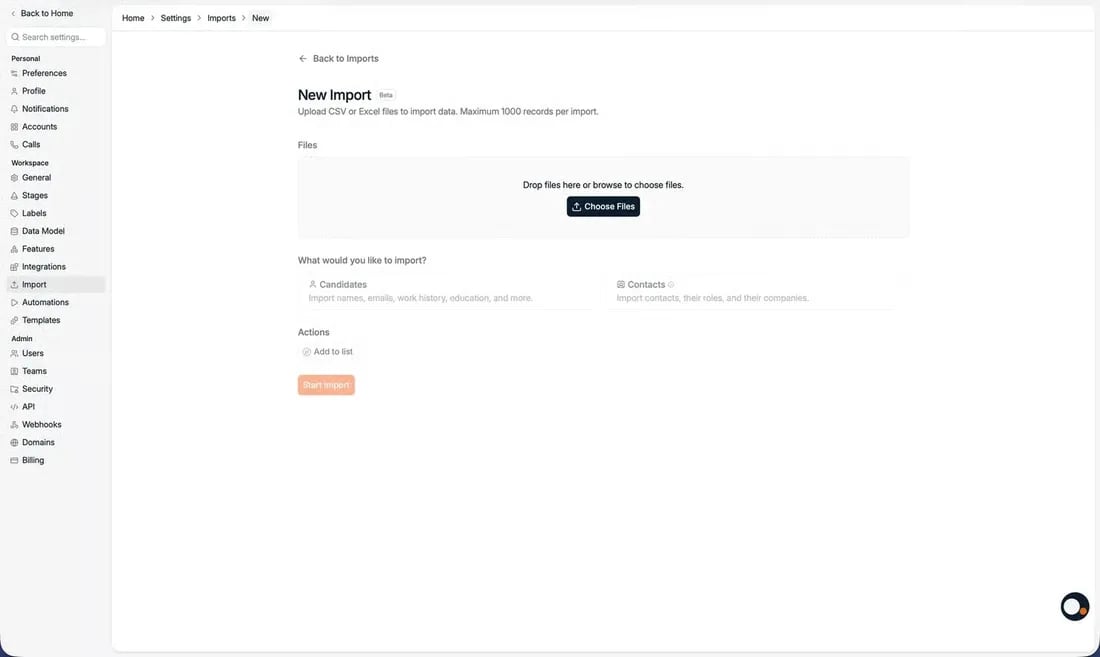
Candidates can be imported straight into jobs and lists. Contacts can be imported
straight into lists.
Full CSV import reference
Column by column: what each field expects, and how matching works.
2. Import CVs in batches of 1,000
If your data lives as CV files rather than a spreadsheet, upload them and let Spott parse each one into a candidate record.
You can upload up to 1,000 CVs at once. Above 20 CVs there is no preview step, so the
records are created directly. Duplicate records are flagged in red and you decide whether
to create them anyway or skip them.
Adding candidates
Every route into the database, including maildrop and the extension.
Merging duplicates
How Spott spots duplicates and how to merge them.
Next: manage candidates
Now that your data is in, start adding to it and working the records.