> ## Documentation Index
> Fetch the complete documentation index at: https://docs.spott.io/llms.txt
> Use this file to discover all available pages before exploring further.
# Notifications
> Choose which events notify you in Spott, and whether they reach you in the app, by email, or both.
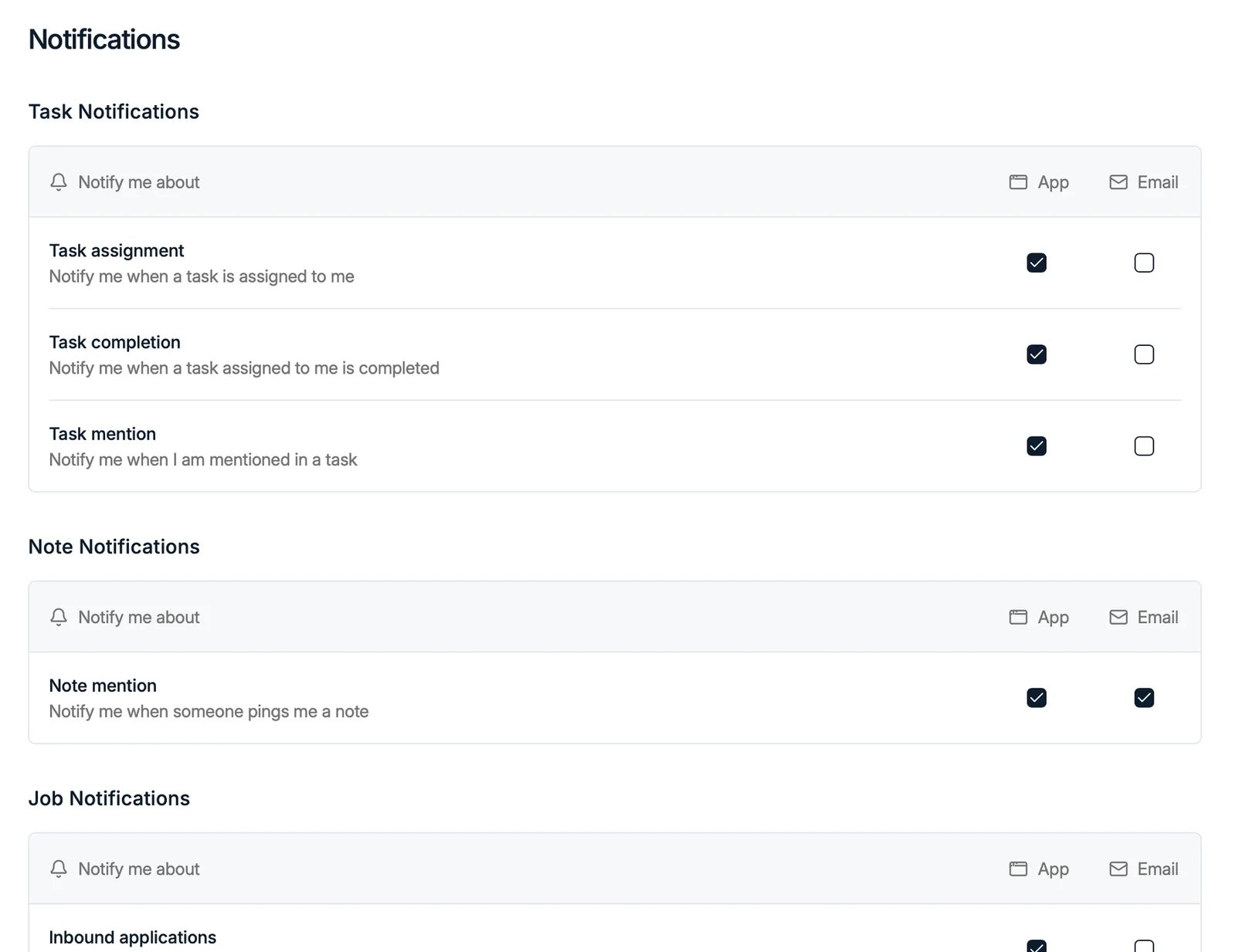
Under **Settings → Notifications** you choose which events notify you, and whether
each one reaches you in the **App**, by **Email**, or both:
* **Task Notifications**: assignment, completion, and mentions.
* **Note Notifications**: when someone mentions you in a note.
* **Job Notifications**: inbound applications and other job events.
* **Comment Notifications**: **Comment mention**, when someone `@mentions` you in a
[comment](/docs/notes/comments) on a candidate, contact, company, or note.

 These are personal: each user picks their own.
## The notifications feed
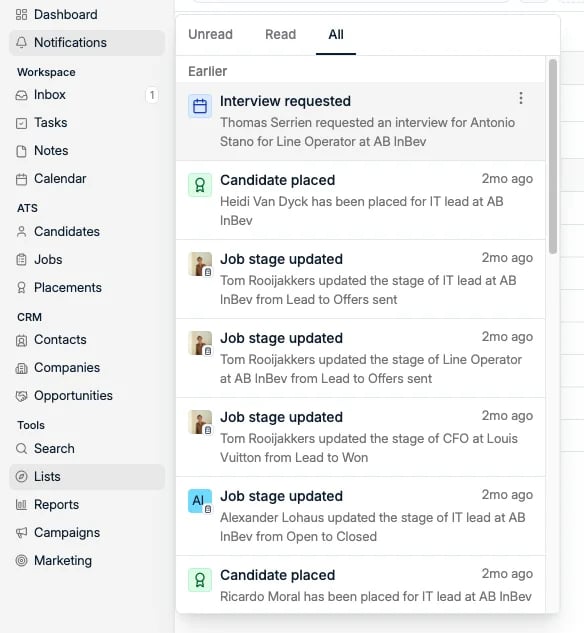
The notifications themselves appear in the **Notifications** feed, opened from the
left sidebar, where you can see events such as placements, stage changes, and
mentions.
The feed has three tabs, **Unread**, **Read** and **All**, so you can work through what is
new without losing the ability to go back and find something you have already opened.
Entries are grouped by age, and each one names who did what to which record:
* **Interview requested**, when a client asks for an interview from the
[Company Portal](/docs/jobs/company-portal)
* **Candidate placed**, when a placement is recorded
* **Job stage updated**, naming the old and the new stage
* **Mentions**, when a colleague `@mentions` you in a [comment](/docs/notes/comments)
These are personal: each user picks their own.
## The notifications feed
The notifications themselves appear in the **Notifications** feed, opened from the
left sidebar, where you can see events such as placements, stage changes, and
mentions.
The feed has three tabs, **Unread**, **Read** and **All**, so you can work through what is
new without losing the ability to go back and find something you have already opened.
Entries are grouped by age, and each one names who did what to which record:
* **Interview requested**, when a client asks for an interview from the
[Company Portal](/docs/jobs/company-portal)
* **Candidate placed**, when a placement is recorded
* **Job stage updated**, naming the old and the new stage
* **Mentions**, when a colleague `@mentions` you in a [comment](/docs/notes/comments)
 Each entry has a **⋮** menu with **Mark as unread**, so something you opened in passing can
go back on the pile instead of disappearing.
Each entry has a **⋮** menu with **Mark as unread**, so something you opened in passing can
go back on the pile instead of disappearing.