> ## Documentation Index
> Fetch the complete documentation index at: https://docs.spott.io/llms.txt
> Use this file to discover all available pages before exploring further.
# Workspace & Branding
> Configure your organization name, public URLs, and the branding of your public-facing pages.
**Settings → General** holds the workspace-wide settings that shape how Spott looks to
your team and to candidates. These settings apply to everyone in your organization.
## General settings
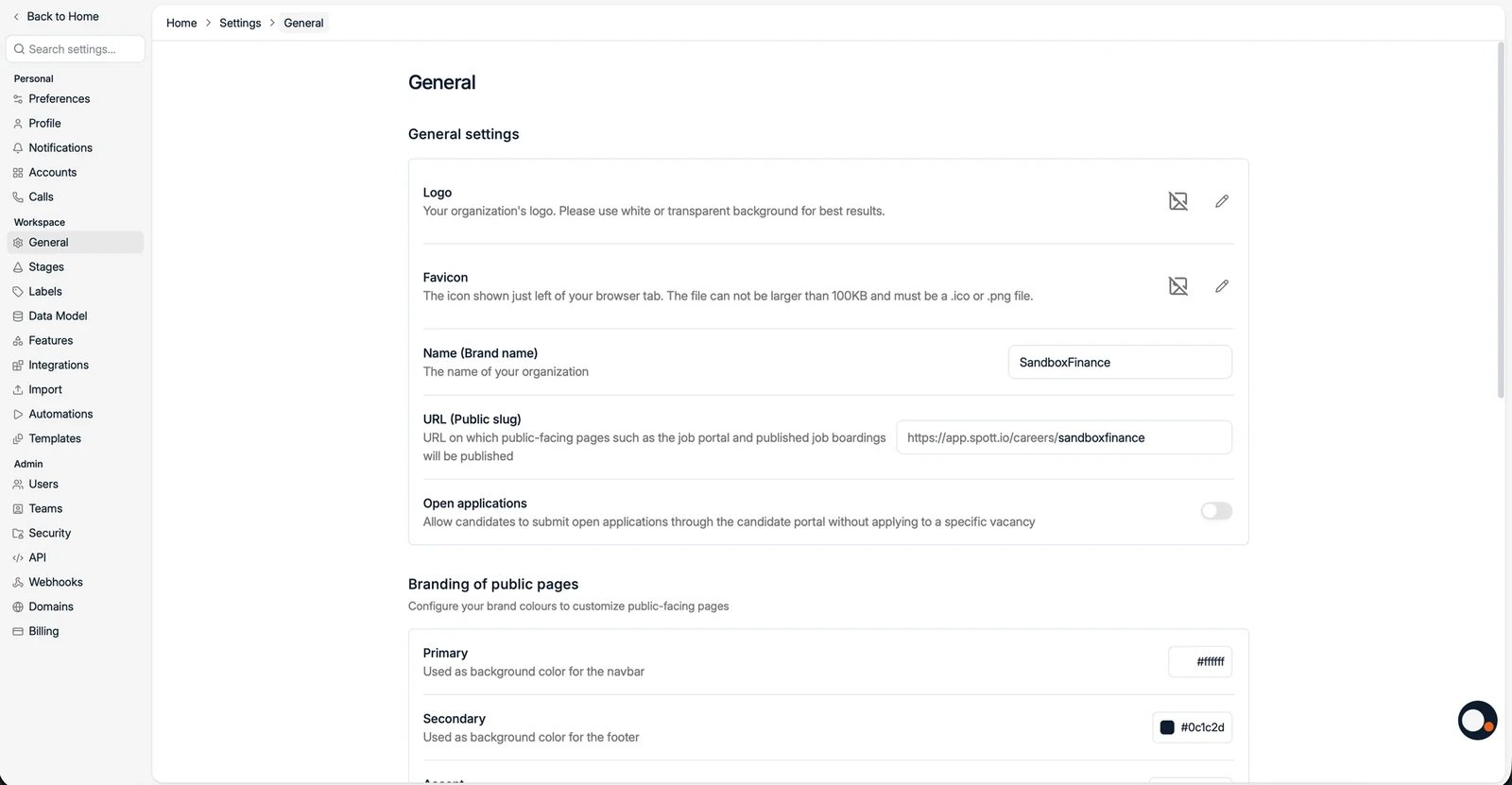
* **Logo** and **Favicon** for your workspace. Use a white or transparent background
for the logo, and keep the favicon under 100KB.
* **Name (Brand name)**, your organization's name.
* **URL (Public slug)**, the slug used for public-facing pages such as the job portal
and published job adverts, for example `app.spott.io/careers/yourslug`.
* **Open applications**, allow candidates to submit open applications through the
candidate portal without applying to a specific vacancy.
 ## Branding of public pages
Set the **Primary** color (navbar background), **Secondary** color (footer
background), and **Accent** color to match your brand on public pages.
You can also add:
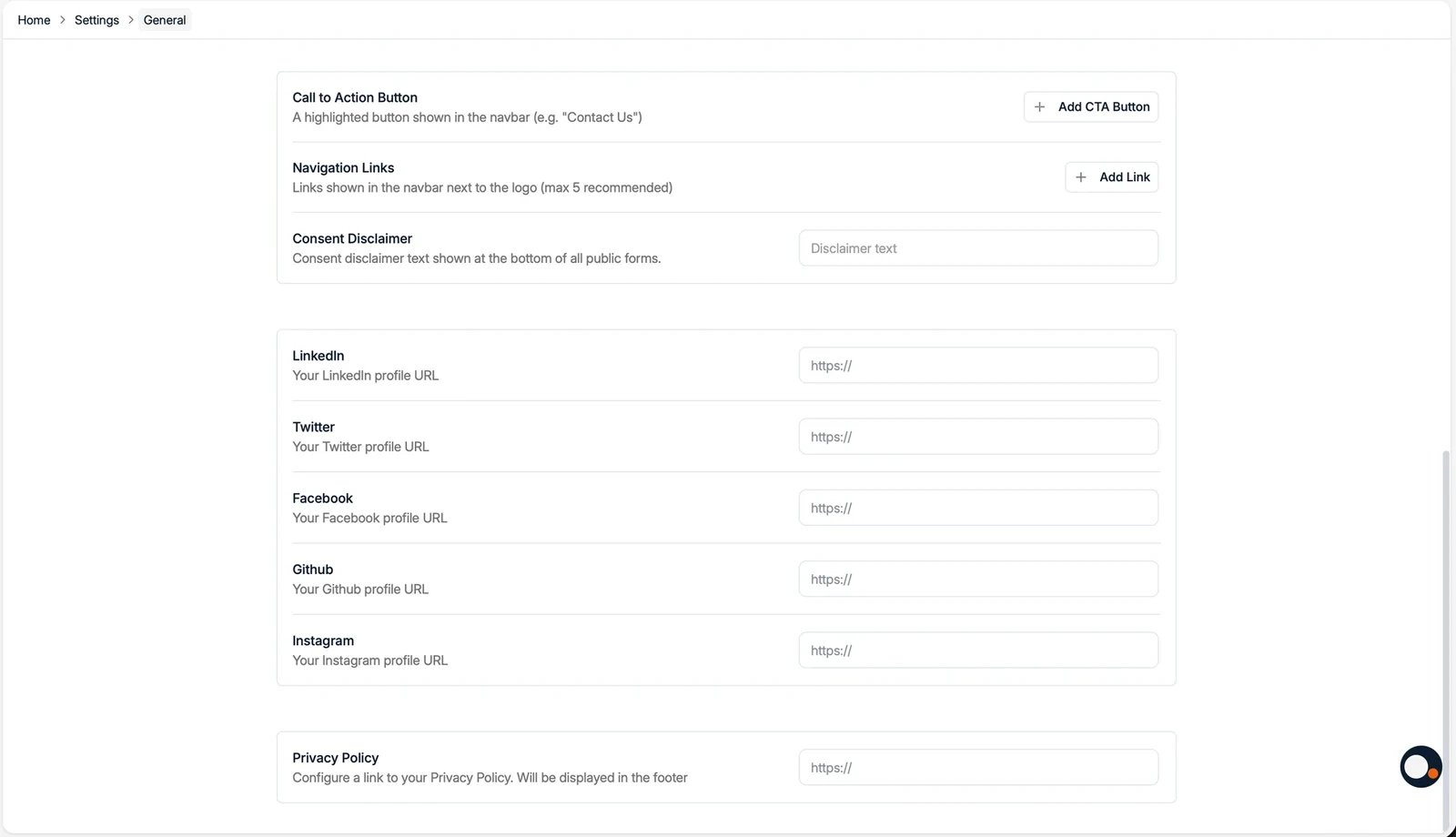
* A **Call to Action Button** and **Navigation Links** shown in the public navbar.
* A **Consent Disclaimer** shown at the bottom of all public forms.
* **Social links** (LinkedIn, Twitter, Facebook, GitHub, Instagram) and a **Privacy
Policy** link shown in the footer.
## Branding of public pages
Set the **Primary** color (navbar background), **Secondary** color (footer
background), and **Accent** color to match your brand on public pages.
You can also add:
* A **Call to Action Button** and **Navigation Links** shown in the public navbar.
* A **Consent Disclaimer** shown at the bottom of all public forms.
* **Social links** (LinkedIn, Twitter, Facebook, GitHub, Instagram) and a **Privacy
Policy** link shown in the footer.