> ## Documentation Index
> Fetch the complete documentation index at: https://docs.spott.io/llms.txt
> Use this file to discover all available pages before exploring further.
# Data Model
> Manage the attributes and consent purposes on every record type in your workspace.
**Settings → Data Model** is where you shape the fields on your records. You can create
custom attributes and file types for each record type in your workspace.
## Record types
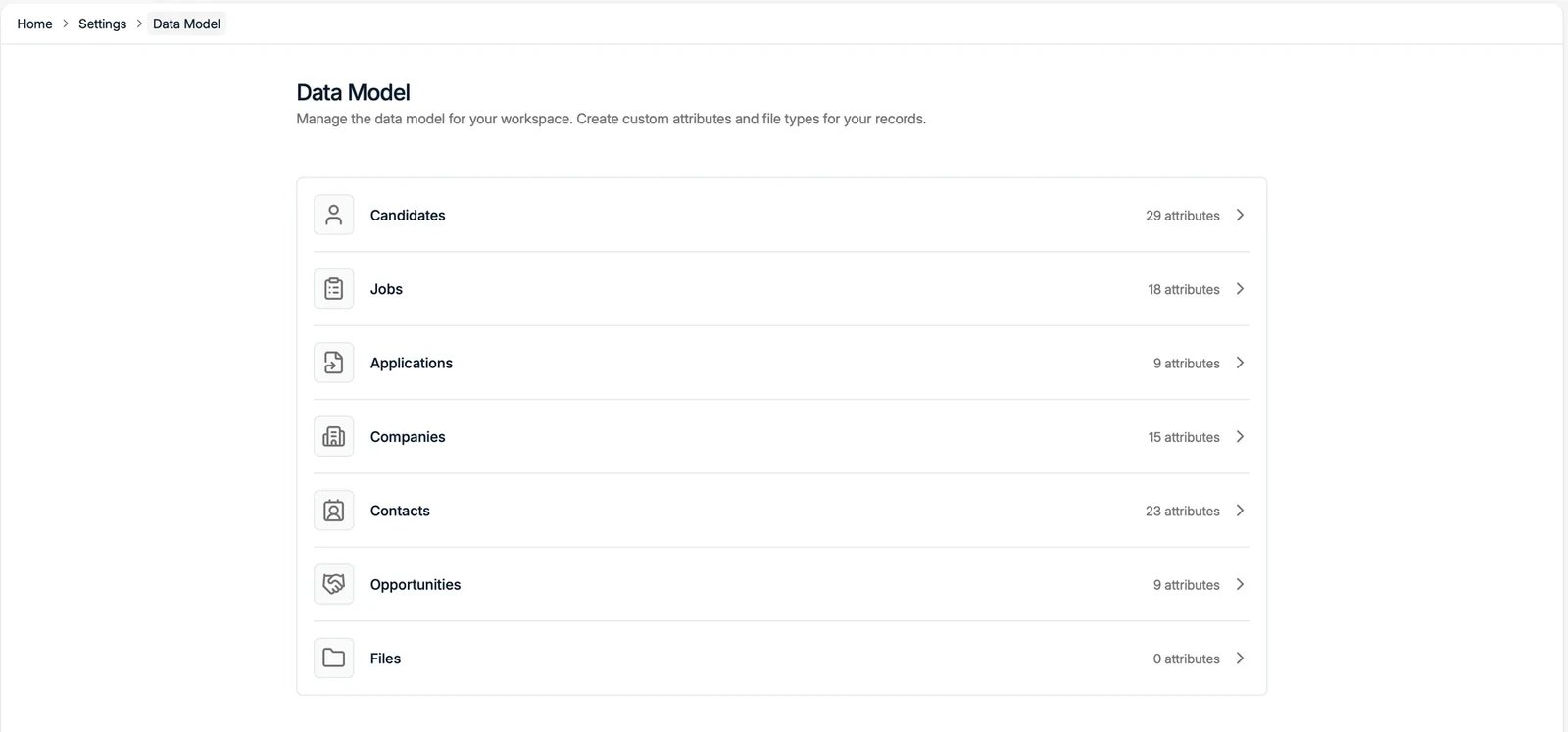
The Data Model lists every record type with the number of attributes it has:
Candidates, Jobs, Applications, Companies, Contacts, Opportunities, and Files. Click a
record type to manage its attributes.
 ## Attributes
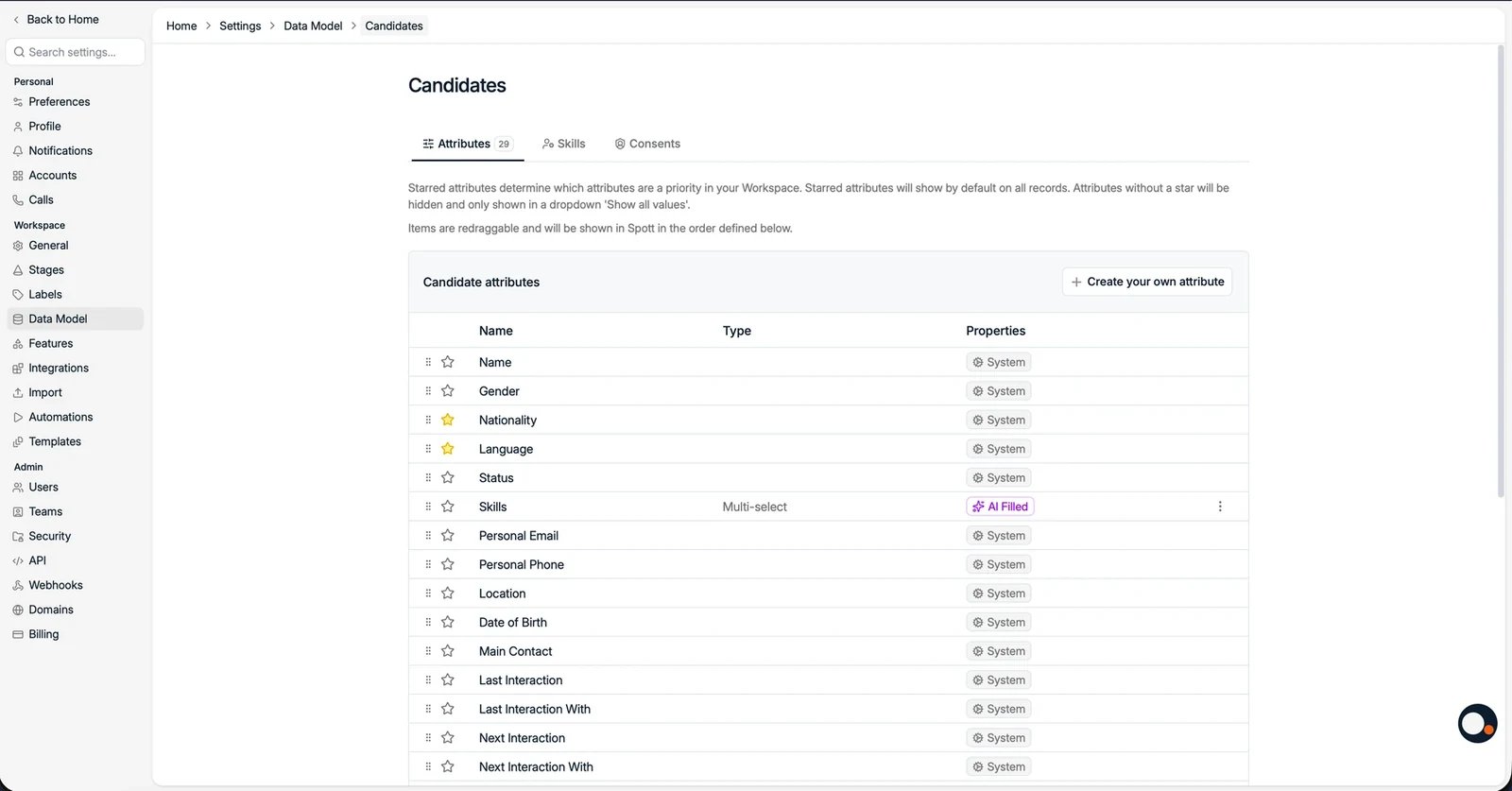
Inside a record type, the **Attributes** tab lists every field. For each attribute you
can see its **Type** and **Properties**:
* **System** attributes are built in and cannot be deleted.
* Attributes marked **AI Filled** are completed automatically by AI. See
[AI-filled columns](/docs/settings/ai-filled-columns).
* **Starred** attributes show by default on records. Unstarred attributes are hidden
behind **Show all values**. Drag attributes to set the order they appear in.
Use **Create your own attribute** to add a custom field. For candidate-specific
guidance, see [customizing candidate profiles](/docs/settings/customizing-candidate-profiles).
## Attributes
Inside a record type, the **Attributes** tab lists every field. For each attribute you
can see its **Type** and **Properties**:
* **System** attributes are built in and cannot be deleted.
* Attributes marked **AI Filled** are completed automatically by AI. See
[AI-filled columns](/docs/settings/ai-filled-columns).
* **Starred** attributes show by default on records. Unstarred attributes are hidden
behind **Show all values**. Drag attributes to set the order they appear in.
Use **Create your own attribute** to add a custom field. For candidate-specific
guidance, see [customizing candidate profiles](/docs/settings/customizing-candidate-profiles).
 ## Consents
On the Candidates record type, the **Consents** tab manages the consent purposes you
can track. See [GDPR consent management](/docs/settings/gdpr-consent).
## Consents
On the Candidates record type, the **Consents** tab manages the consent purposes you
can track. See [GDPR consent management](/docs/settings/gdpr-consent).