> ## Documentation Index
> Fetch the complete documentation index at: https://docs.spott.io/llms.txt
> Use this file to discover all available pages before exploring further.
# Auto-updating Profiles
> Automatically refresh candidate profiles by regularly checking LinkedIn for changes, while controlling update frequency and credit usage.
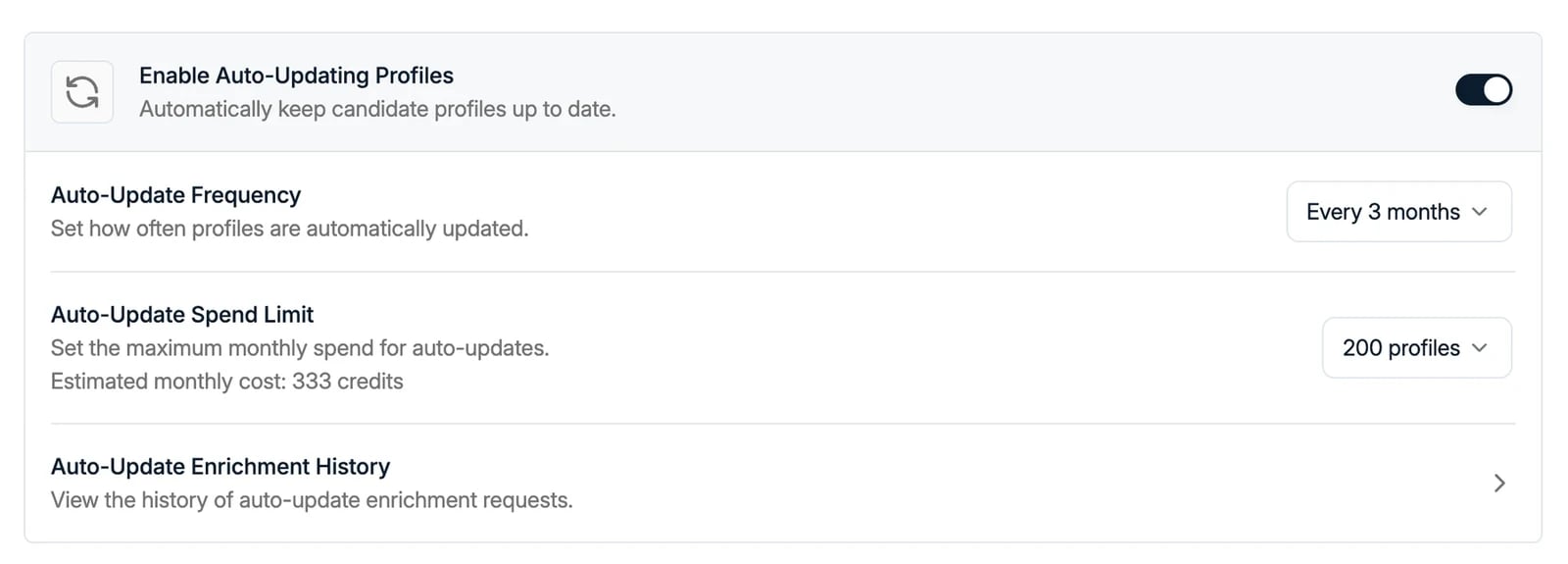 **Auto-Update Profiles** is managed from **Settings → Features**. It keeps candidate
profiles up to date by periodically checking LinkedIn for changes.
You stay in full control of how often profiles are checked, how many profiles can be
updated, and how credits are spent.
Auto-updating uses enrichment credits. Credits are only deducted when an update is
successful. You can find credit pricing on the **Billing** page in Settings.
## Enable Auto-Update Profiles
1. Navigate to **Settings → Features**.
2. Toggle **Auto-Update Profiles** on to allow Spott to regularly check LinkedIn for
profile changes.
## Configure auto-updating
### Auto-Update Frequency
Set how often Spott should refresh LinkedIn profiles:
* Every month
* Every 2 months
* Every 3 months
* Every 6 months
* Every 9 months
* Every year
### Auto-Update Spend Limit
Set the maximum number of profiles that can be successfully auto-updated **per month**:
100, 200, 500, 1,000, 2,000, 5,000, 10,000, or 50,000 profiles. Spott shows the
**estimated monthly cost** in credits for the limit you pick.
The spend limit helps you control credit usage by capping how many profiles are
updated each month.
### Auto-Update Enrichment History
Click **Auto-Update Enrichment History** to review how auto-updating is performing
and how credits are being used. You can see:
* Total auto-updates for the current month
* Success rate
* Remaining credits available
## Managing credits
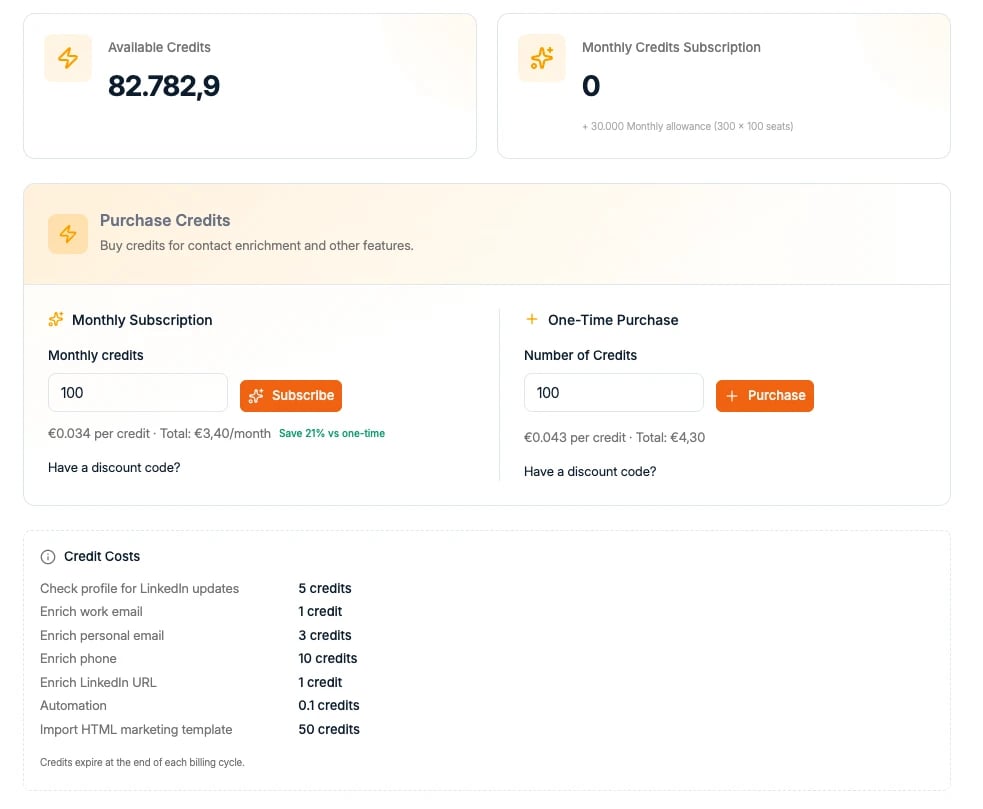
If you need more enrichment credits, purchase them from **Settings → Billing**.
Credits are shared across features, such as enrichment and auto-update, and tracked
centrally in your workspace.
The Billing page also lists the credit cost of each action, so you can estimate spend
before enabling auto-updating. Checking a profile for LinkedIn updates costs 5
credits, and individual enrichments range from 1 credit (work email or LinkedIn URL)
to 10 credits (phone number).
**Auto-Update Profiles** is managed from **Settings → Features**. It keeps candidate
profiles up to date by periodically checking LinkedIn for changes.
You stay in full control of how often profiles are checked, how many profiles can be
updated, and how credits are spent.
Auto-updating uses enrichment credits. Credits are only deducted when an update is
successful. You can find credit pricing on the **Billing** page in Settings.
## Enable Auto-Update Profiles
1. Navigate to **Settings → Features**.
2. Toggle **Auto-Update Profiles** on to allow Spott to regularly check LinkedIn for
profile changes.
## Configure auto-updating
### Auto-Update Frequency
Set how often Spott should refresh LinkedIn profiles:
* Every month
* Every 2 months
* Every 3 months
* Every 6 months
* Every 9 months
* Every year
### Auto-Update Spend Limit
Set the maximum number of profiles that can be successfully auto-updated **per month**:
100, 200, 500, 1,000, 2,000, 5,000, 10,000, or 50,000 profiles. Spott shows the
**estimated monthly cost** in credits for the limit you pick.
The spend limit helps you control credit usage by capping how many profiles are
updated each month.
### Auto-Update Enrichment History
Click **Auto-Update Enrichment History** to review how auto-updating is performing
and how credits are being used. You can see:
* Total auto-updates for the current month
* Success rate
* Remaining credits available
## Managing credits
If you need more enrichment credits, purchase them from **Settings → Billing**.
Credits are shared across features, such as enrichment and auto-update, and tracked
centrally in your workspace.
The Billing page also lists the credit cost of each action, so you can estimate spend
before enabling auto-updating. Checking a profile for LinkedIn updates costs 5
credits, and individual enrichments range from 1 credit (work email or LinkedIn URL)
to 10 credits (phone number).