> ## Documentation Index
> Fetch the complete documentation index at: https://docs.spott.io/llms.txt
> Use this file to discover all available pages before exploring further.
# Understanding Spott's Job Tasks
> Manage tasks linked to each job to keep your hiring process on track.
You can quickly navigate to the Jobs page with `G` then `J`. See all
[keyboard shortcuts](/docs/settings/keyboard-shortcuts).
**Tasks** in Spott let you assign, track, and complete actions related to a specific role — from scheduling interviews to sending offers. Every task is tied to the job, ensuring nothing falls through the cracks and your team always knows what needs to be done next.
## Access a job’s Tasks page
In Spott, go to **Jobs**.
* Find the job you’re looking for. Make sure it’s under the right company or client.
* Click on the job title.
* Click on the **Tasks** tab on the top ribbon.
## Tasks overview
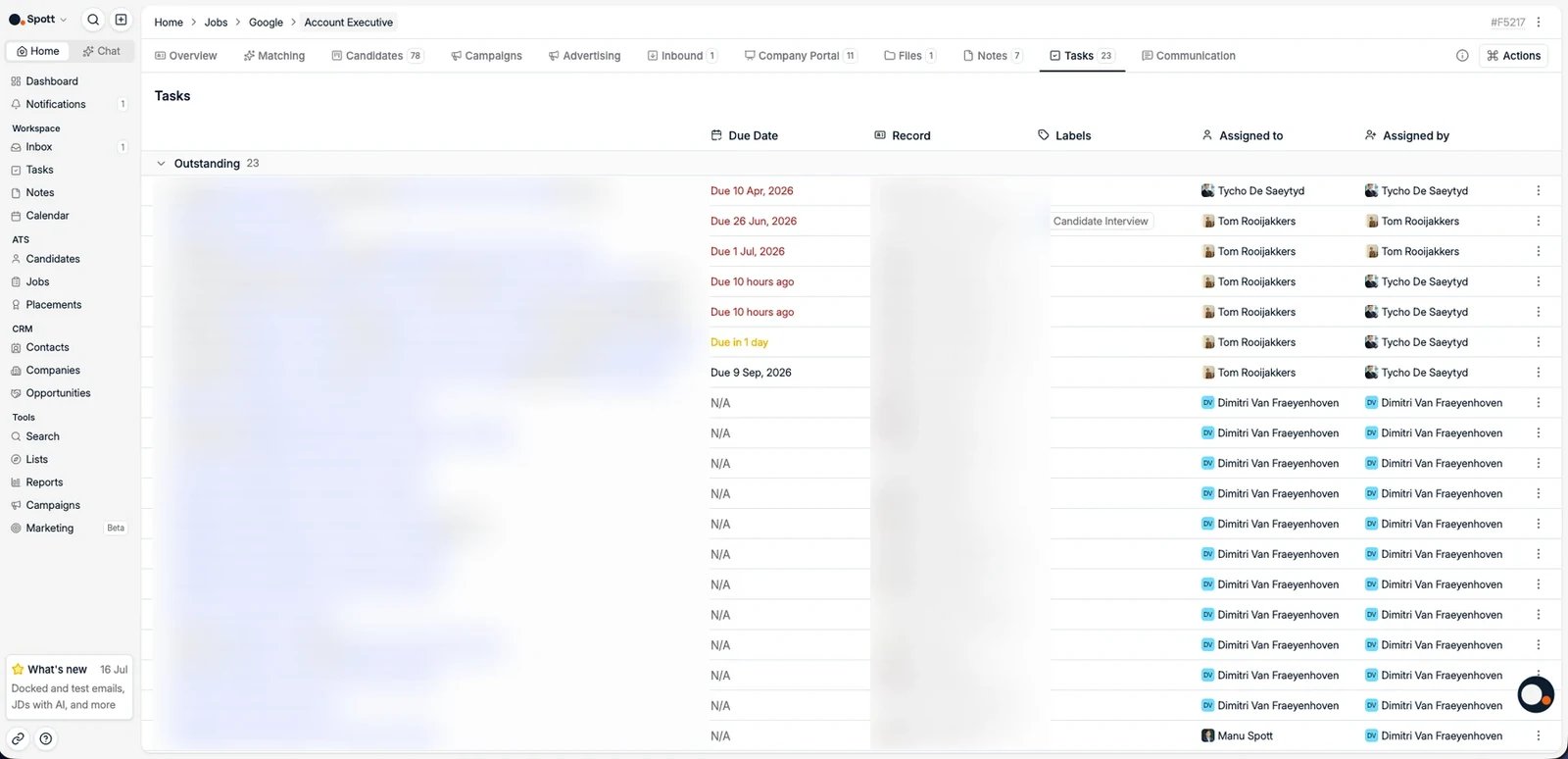 The Tasks tab helps you manage all follow-up actions related to a job, candidate, or company.
## Task list
Each task includes:
* Description with a linked record (job, candidate, etc.)
* Due date, highlighted if overdue
* Record, the associated job or candidate
* Labels, to categorize the task (for example Follow Up or Candidate Interview)
* Assigned to and assigned by
As a best practice, use tags as much as possible, so tasks are always visible in the right context across the different pages.
## Managing tasks
* Uncompleted tasks are shown by default
* Mark tasks as complete once finished
## Creating a task
Click **New Task** and specify:
* Task title or description
* Due date
* Associated record, job, candidate, company, or contact
* Assignee
## Workflow
Example:
* Add a reminder to call the client tomorrow
* Link it to the job
* Assign it to a colleague
* Once completed, it will be removed from the pending list.
The Tasks tab helps you manage all follow-up actions related to a job, candidate, or company.
## Task list
Each task includes:
* Description with a linked record (job, candidate, etc.)
* Due date, highlighted if overdue
* Record, the associated job or candidate
* Labels, to categorize the task (for example Follow Up or Candidate Interview)
* Assigned to and assigned by
As a best practice, use tags as much as possible, so tasks are always visible in the right context across the different pages.
## Managing tasks
* Uncompleted tasks are shown by default
* Mark tasks as complete once finished
## Creating a task
Click **New Task** and specify:
* Task title or description
* Due date
* Associated record, job, candidate, company, or contact
* Assignee
## Workflow
Example:
* Add a reminder to call the client tomorrow
* Link it to the job
* Assign it to a colleague
* Once completed, it will be removed from the pending list.