> ## Documentation Index
> Fetch the complete documentation index at: https://docs.spott.io/llms.txt
> Use this file to discover all available pages before exploring further.
# Understanding Spott's Advertising Tab
> Create, publish, and manage job vacancies: on Spott's job board, LinkedIn, or multiposters like Broadbean, Idibu, and VDAB.
The **Advertising** tab is where you turn a job into a public vacancy: write or
generate the posting, publish it, and manage where it appears.
## Access a job's Advertising tab
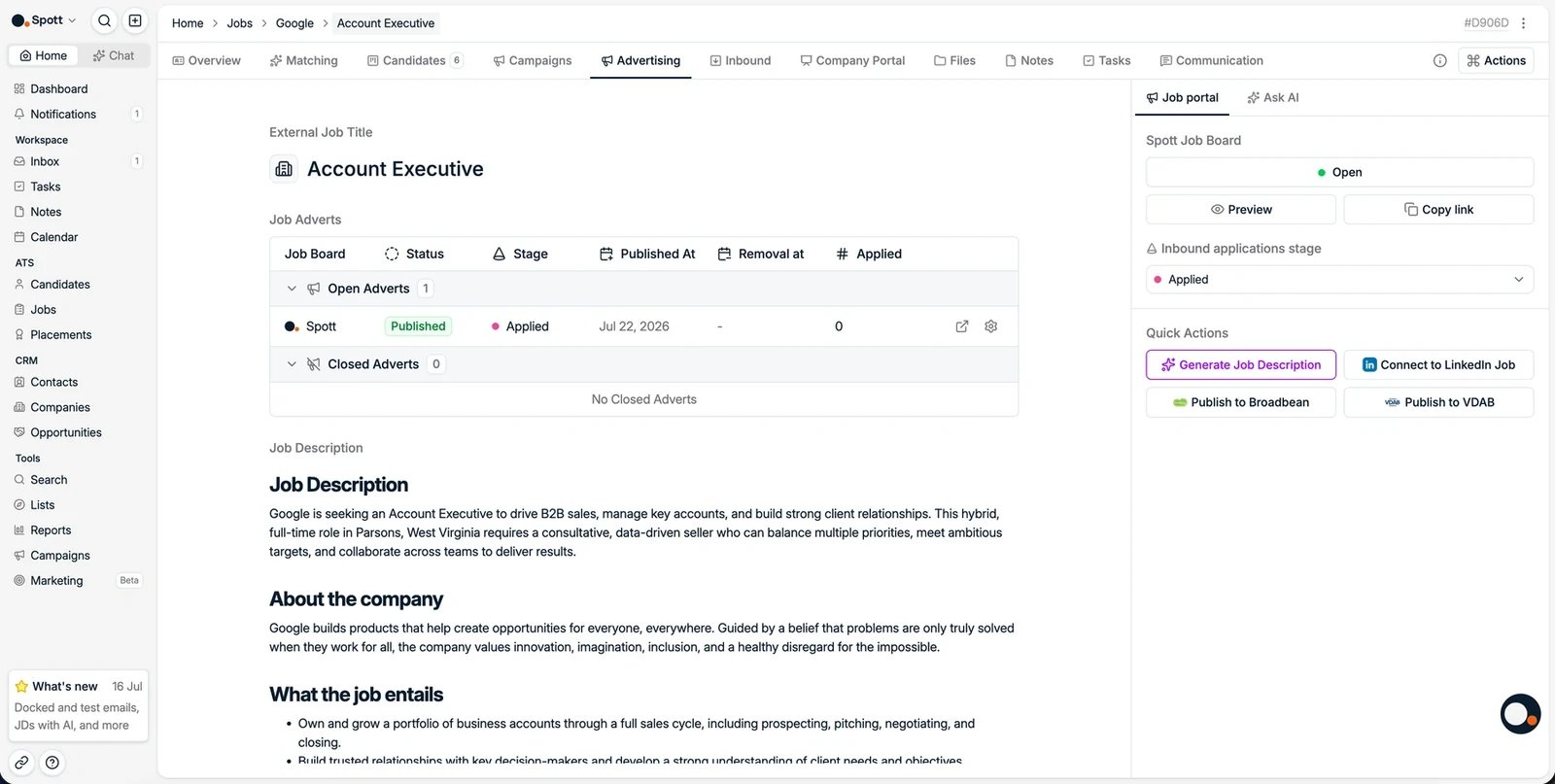 In Spott, go to **Jobs**, open the job, and click the **Advertising** tab.
## Write or generate a job description
In Spott, go to **Jobs**, open the job, and click the **Advertising** tab.
## Write or generate a job description
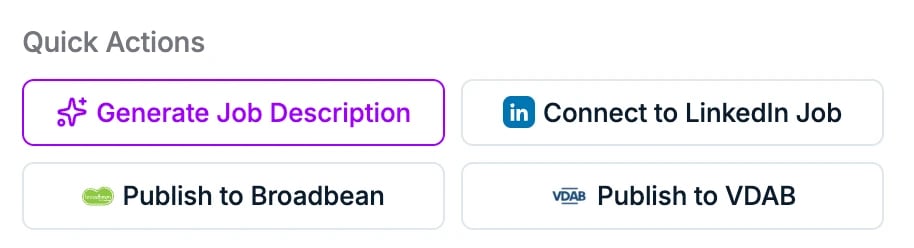 You can create your vacancy description in several ways:
* Type the description manually, or paste an existing one.
* Click **Generate Job Description** to create it with AI from your job details. You
can also use this to rewrite or translate an existing description.
* Refine the result with the **Ask AI** assistant in the sidebar: prompt it to adjust
the tone, add requirements, or shorten a section, and keep iterating until it reads
right, instead of relying on a single one-click rewrite.
The AI formats the result using the job description templates from
**Settings → Templates**, which you can customize to your style.
## Publish your vacancy
### Option 1: the Spott Job Board
The Spott job board showcases your open positions online and receives applications
directly into Spott. In the right-hand panel:
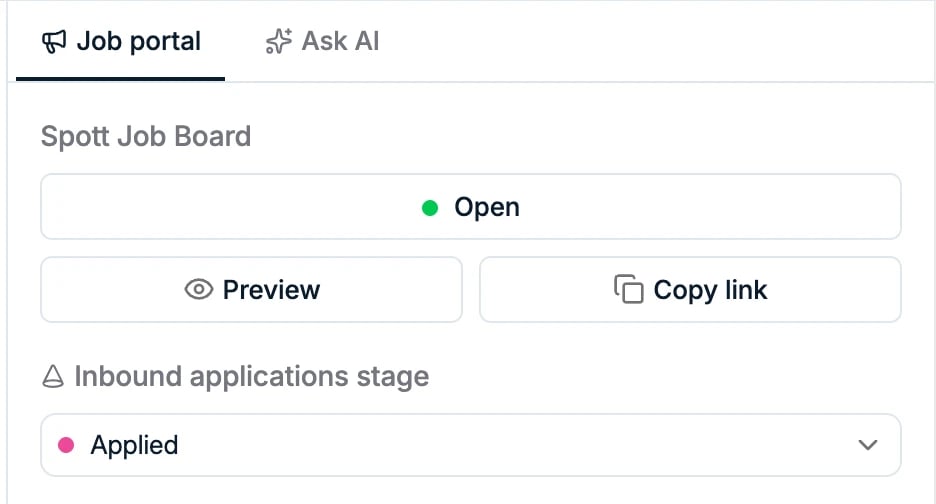
* Switch the **Spott Job Board** toggle to **Open** to publish the vacancy. You can
set it back to **Closed** at any time.
* Pick the **inbound applications stage** where new applicants should land.
* Use **Preview** to see the posting as candidates will, and **Copy link** to share
the application link.
You can create your vacancy description in several ways:
* Type the description manually, or paste an existing one.
* Click **Generate Job Description** to create it with AI from your job details. You
can also use this to rewrite or translate an existing description.
* Refine the result with the **Ask AI** assistant in the sidebar: prompt it to adjust
the tone, add requirements, or shorten a section, and keep iterating until it reads
right, instead of relying on a single one-click rewrite.
The AI formats the result using the job description templates from
**Settings → Templates**, which you can customize to your style.
## Publish your vacancy
### Option 1: the Spott Job Board
The Spott job board showcases your open positions online and receives applications
directly into Spott. In the right-hand panel:
* Switch the **Spott Job Board** toggle to **Open** to publish the vacancy. You can
set it back to **Closed** at any time.
* Pick the **inbound applications stage** where new applicants should land.
* Use **Preview** to see the posting as candidates will, and **Copy link** to share
the application link.
 Updates to the description are reflected immediately for candidates.
### Option 2: LinkedIn
Link a LinkedIn Recruiter job posting so applications flow into Spott. See
[connecting a LinkedIn job board post](/docs/jobs/linkedin-job-posting).
### Option 3: multiposters
With a multiposter integration enabled, you can distribute the vacancy to many job
boards at once:
* **Publish to Broadbean**: see the [Broadbean integration](/docs/integrations/broadbean)
* **Publish to [Idibu](/docs/integrations/idibu)**
* **Publish to [VDAB](/docs/integrations/vdab)**, for the Flemish public job board
Multiposting uses **your own commercial account** with the multiposter. Posting
credits, per-board fees, and pricing are handled with the multiposter, not Spott.
Every advert you publish appears in the **Job Adverts** list at the top of the
Advertising tab, grouped into **Open** and **Closed** adverts. Each row shows the job
board, its status, the inbound stage, the published and removal dates, and how many
candidates have **Applied**, so you can track all your channels in one place.
Closing a job in Spott does **not** automatically close its published adverts. Close
each advert from this list, or set up an [automation](/docs/settings/automations) to
do it, so a filled role stops collecting applications.
## Candidate flow
When a candidate applies through any of these channels, the application is captured
automatically and appears in the
[Inbound tab](/docs/jobs/inbound-applications) for review,
ranked by AI.
Updates to the description are reflected immediately for candidates.
### Option 2: LinkedIn
Link a LinkedIn Recruiter job posting so applications flow into Spott. See
[connecting a LinkedIn job board post](/docs/jobs/linkedin-job-posting).
### Option 3: multiposters
With a multiposter integration enabled, you can distribute the vacancy to many job
boards at once:
* **Publish to Broadbean**: see the [Broadbean integration](/docs/integrations/broadbean)
* **Publish to [Idibu](/docs/integrations/idibu)**
* **Publish to [VDAB](/docs/integrations/vdab)**, for the Flemish public job board
Multiposting uses **your own commercial account** with the multiposter. Posting
credits, per-board fees, and pricing are handled with the multiposter, not Spott.
Every advert you publish appears in the **Job Adverts** list at the top of the
Advertising tab, grouped into **Open** and **Closed** adverts. Each row shows the job
board, its status, the inbound stage, the published and removal dates, and how many
candidates have **Applied**, so you can track all your channels in one place.
Closing a job in Spott does **not** automatically close its published adverts. Close
each advert from this list, or set up an [automation](/docs/settings/automations) to
do it, so a filled role stops collecting applications.
## Candidate flow
When a candidate applies through any of these channels, the application is captured
automatically and appears in the
[Inbound tab](/docs/jobs/inbound-applications) for review,
ranked by AI.