> ## Documentation Index
> Fetch the complete documentation index at: https://docs.spott.io/llms.txt
> Use this file to discover all available pages before exploring further.
# Understanding Spott's Job Overview
> The Overview tab centralizes a job's details, sourcing criteria, and attachments, and powers Spott's AI features.
A job's **Overview** tab centralizes all key information about the role: client and
contact data, requirements, locations, and compensation. It is also where you define
the **sourcing criteria** that power AI matching and job description generation.
## Access a job's Overview tab
 In Spott, go to **Jobs**.
* Find the job you are looking for. Make sure it is under the right company or client.
* Click on the job title. The **Overview** tab opens first.
## Add sourcing criteria and context
In Spott, go to **Jobs**.
* Find the job you are looking for. Make sure it is under the right company or client.
* Click on the job title. The **Overview** tab opens first.
## Add sourcing criteria and context
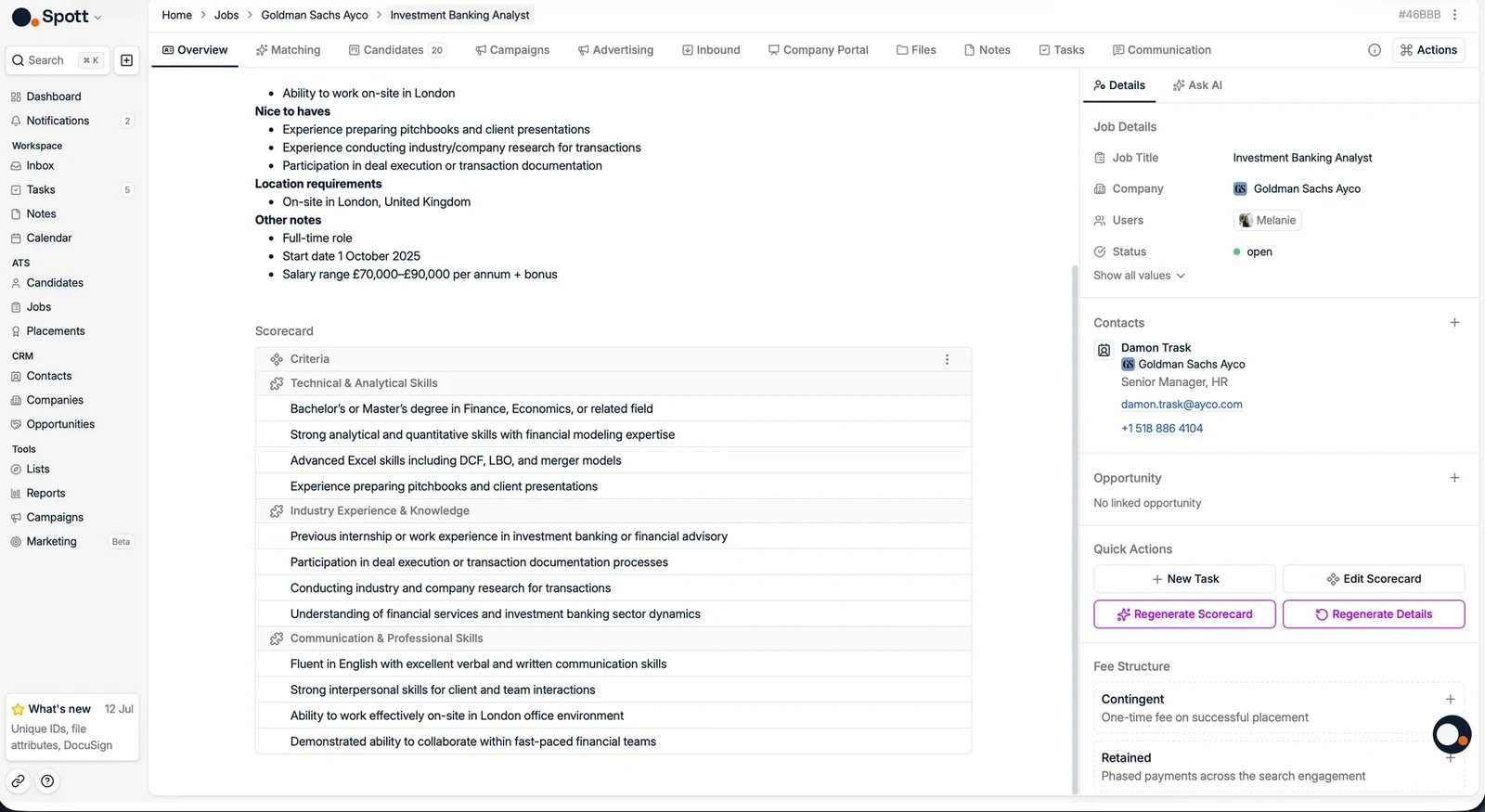 Give Spott as much context about the role as you can:
* Type the **sourcing criteria** directly: responsibilities, requirements, and
qualifications.
* **Attach files**, for example the client's job description document.
* **Link notes** from internal discussions or intake meetings.
## Use AI to generate or summarize details
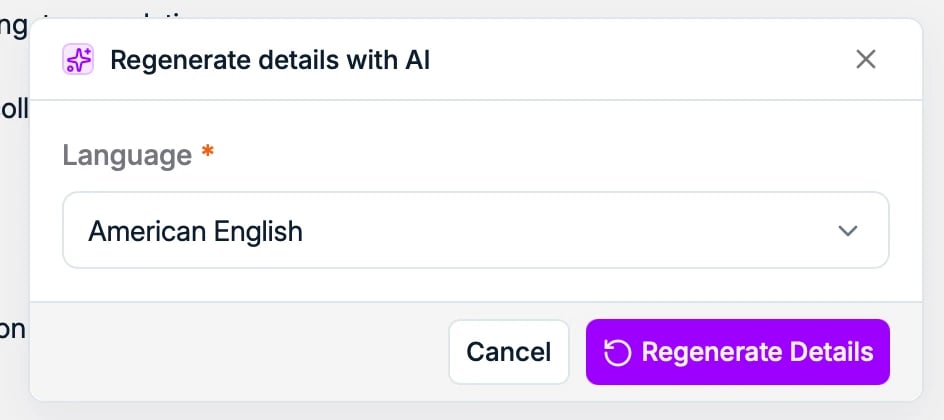
Click **Regenerate Details** to have AI rewrite the job details from all attached
resources, in the language you choose. It can:
* Summarize your existing job description into a concise format
* Fill in missing information based on the provided content
* Rewrite the description for clarity and better candidate engagement
Give Spott as much context about the role as you can:
* Type the **sourcing criteria** directly: responsibilities, requirements, and
qualifications.
* **Attach files**, for example the client's job description document.
* **Link notes** from internal discussions or intake meetings.
## Use AI to generate or summarize details
Click **Regenerate Details** to have AI rewrite the job details from all attached
resources, in the language you choose. It can:
* Summarize your existing job description into a concise format
* Fill in missing information based on the provided content
* Rewrite the description for clarity and better candidate engagement
 The side panel also has an **Ask AI** tab, an agent that knows the whole job record
and can answer questions about it.
The sourcing criteria on the Overview tab are used by Spott's
[AI matching](/docs/jobs/matching), so the more
complete they are, the better your matches.
For a **Retained** job, set up the fee structure on the job first: the milestones,
negotiated fee, and estimated salary. These must be in place before you can log a
[placement](/docs/placements/placements) against the job, so configuring them up
front avoids getting blocked mid-placement.
The side panel also has an **Ask AI** tab, an agent that knows the whole job record
and can answer questions about it.
The sourcing criteria on the Overview tab are used by Spott's
[AI matching](/docs/jobs/matching), so the more
complete they are, the better your matches.
For a **Retained** job, set up the fee structure on the job first: the milestones,
negotiated fee, and estimated salary. These must be in place before you can log a
[placement](/docs/placements/placements) against the job, so configuring them up
front avoids getting blocked mid-placement.