> ## Documentation Index
> Fetch the complete documentation index at: https://docs.spott.io/llms.txt
> Use this file to discover all available pages before exploring further.
# Updating a Candidate Profile
> Keep candidate profiles up to date with a new CV, a self-service update link for the candidate, or a LinkedIn refresh.
Spott detects and merges new information from CVs, so you never retype details by
hand. When a newer CV comes in, Spott compares it with the existing profile and only
applies what changed.
## Open the candidate's Experience subtab
Go to **Candidates**, open the candidate, and select the **Experience** subtab on the
Overview tab. The update buttons are at the top.
 ## Choose your update method
* **Request updated CV**: send the candidate a link where they upload their latest CV
and can update their email and phone number themselves. Their profile updates
automatically once the file is received, and Spott records their consent as part of
the flow. See [GDPR consent management](/docs/settings/gdpr-consent).
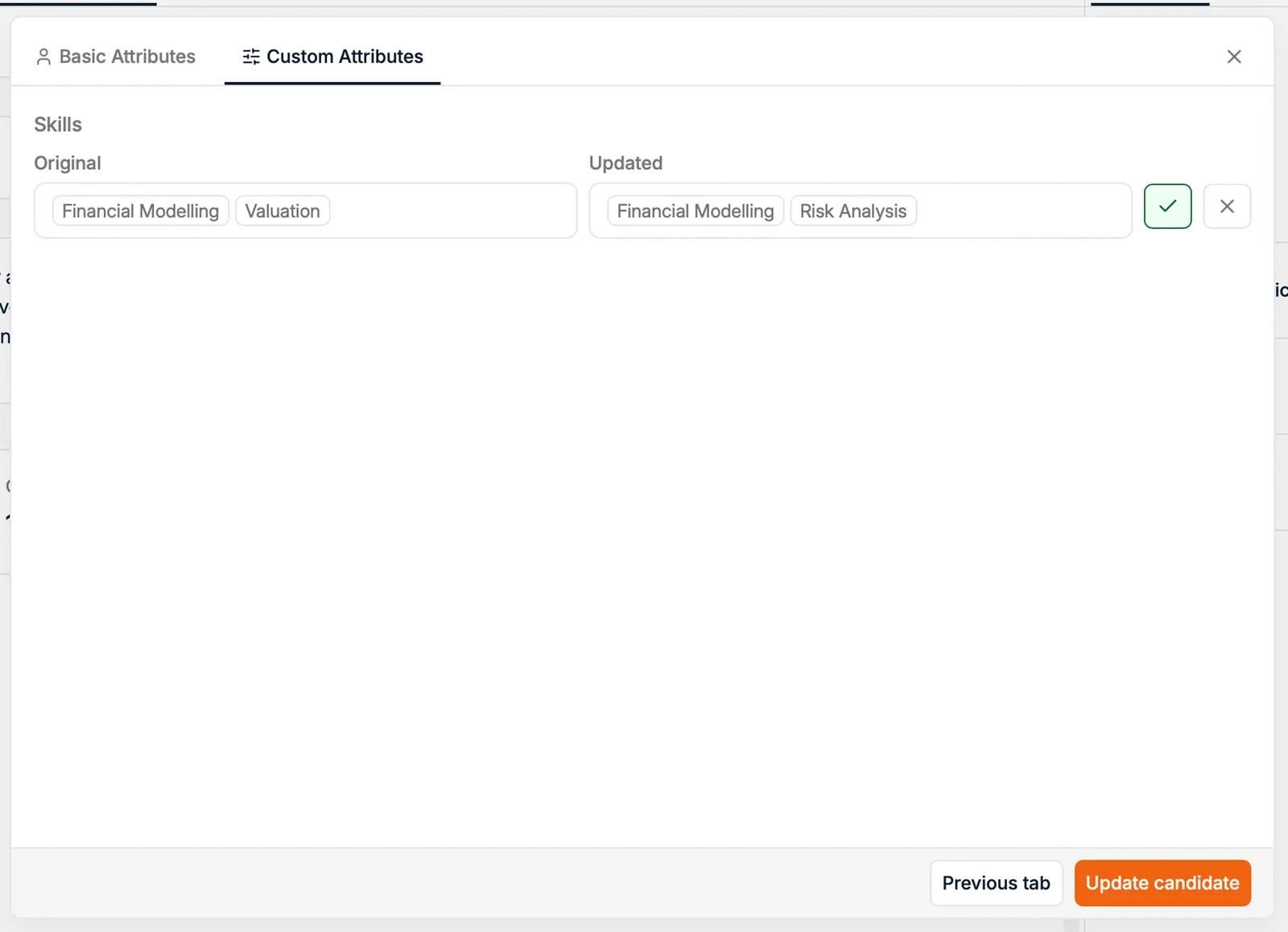
* **Update with new CV**: upload a new CV file (PDF or DOCX) yourself. Spott shows you
what changed, and you accept or reject each suggested change before it is applied.
* **Check for updates**: refresh the profile from the candidate's LinkedIn profile.
LinkedIn profile updates use enrichment credits. You can find credit pricing on the
**Billing** page in Settings.
## How incremental updates work
Spott compares the new data with the existing profile and merges the differences. It
is a comparison, not an overwrite:
* New information, like recent roles, new education, or updated contact details, is
picked up as a suggested change.
* Existing fields stay unchanged unless the new data actually differs.
* Duplicates and minor variations, like job title variants, are handled automatically
to keep the data consistent.
How much control you have depends on the method:
* **Uploading a CV yourself** is supervised: you review the detected changes and
accept or reject each one.
## Choose your update method
* **Request updated CV**: send the candidate a link where they upload their latest CV
and can update their email and phone number themselves. Their profile updates
automatically once the file is received, and Spott records their consent as part of
the flow. See [GDPR consent management](/docs/settings/gdpr-consent).
* **Update with new CV**: upload a new CV file (PDF or DOCX) yourself. Spott shows you
what changed, and you accept or reject each suggested change before it is applied.
* **Check for updates**: refresh the profile from the candidate's LinkedIn profile.
LinkedIn profile updates use enrichment credits. You can find credit pricing on the
**Billing** page in Settings.
## How incremental updates work
Spott compares the new data with the existing profile and merges the differences. It
is a comparison, not an overwrite:
* New information, like recent roles, new education, or updated contact details, is
picked up as a suggested change.
* Existing fields stay unchanged unless the new data actually differs.
* Duplicates and minor variations, like job title variants, are handled automatically
to keep the data consistent.
How much control you have depends on the method:
* **Uploading a CV yourself** is supervised: you review the detected changes and
accept or reject each one.
 * **CVs that arrive via the request link or by email** (`cv@spott.io`) are merged
automatically, without a review step.
## Finalize and review
Once the update is processed:
* Review the updated sections, such as Experience, Education, and Details.
* The **Activity** panel on the profile shows every change and who or what made it.
Manual edits you make after a CV update always override the parsed results.
* **CVs that arrive via the request link or by email** (`cv@spott.io`) are merged
automatically, without a review step.
## Finalize and review
Once the update is processed:
* Review the updated sections, such as Experience, Education, and Details.
* The **Activity** panel on the profile shows every change and who or what made it.
Manual edits you make after a CV update always override the parsed results.