> ## Documentation Index
> Fetch the complete documentation index at: https://docs.spott.io/llms.txt
> Use this file to discover all available pages before exploring further.
# Tracking applications
> Follow a candidate's applications, placements, and speculative presentations from the Candidate tab, and let AI suggest matching jobs.
The **Candidate** tab on a [candidate profile](/docs/candidates/managing-candidates)
tracks everything about the person as a candidate: their applications, placements, and
potential matches.
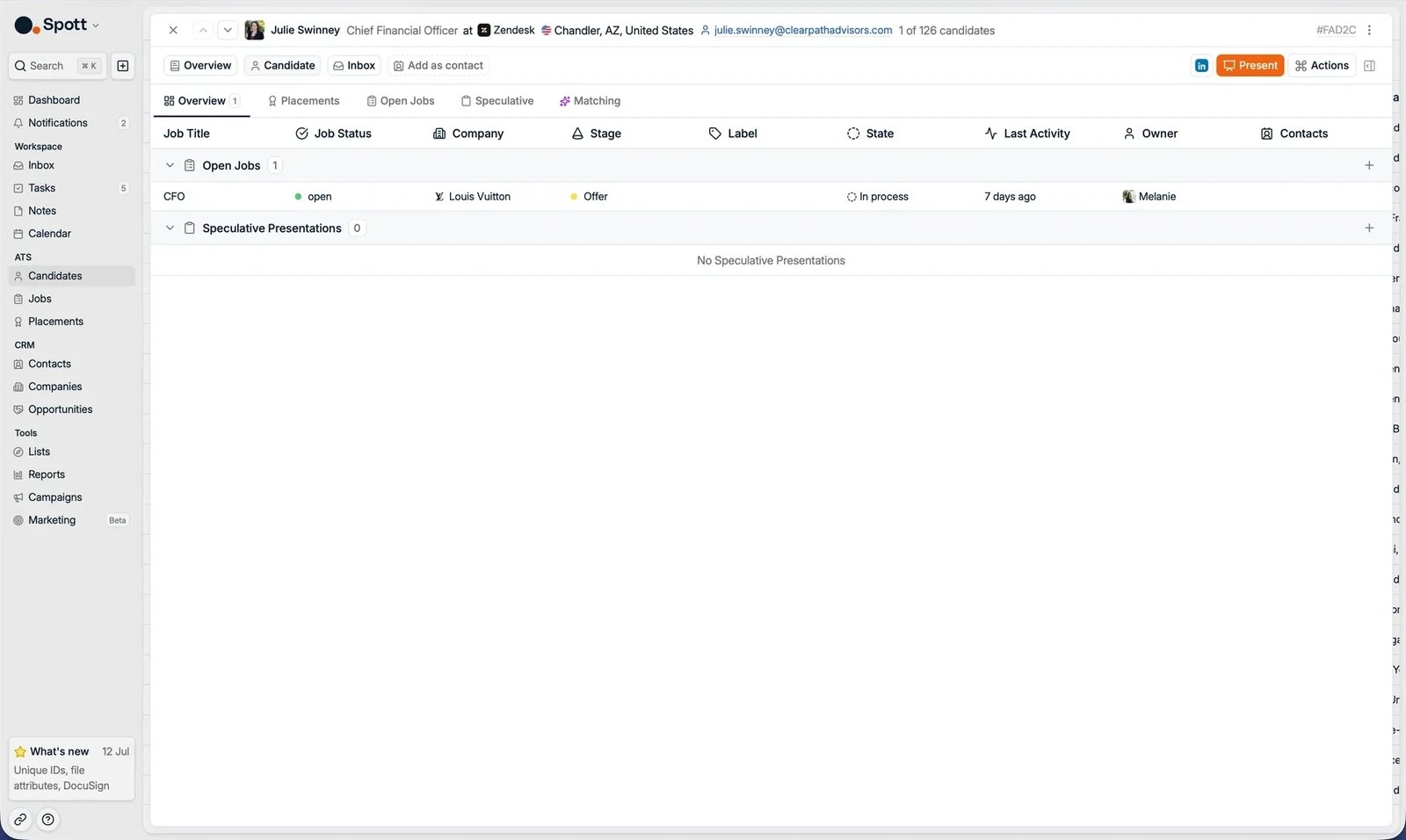 ## Overview
All processes the candidate is part of, in one list: open job applications and
speculative presentations. For each one you see the job title, company, stage, state,
last activity, and owner.
## Placements
The candidate's placements: the jobs they were successfully placed in.
## Open Jobs
Every open job application the candidate is part of. For each application you see:
* Company name
* Job title
* Time in stage
* Application stage
* Application status
You can move the candidate forward in the process from here. Click an application to
open it and see the full context.
## Speculative
Introduce a strong candidate to a company even when there is no open role.
## Overview
All processes the candidate is part of, in one list: open job applications and
speculative presentations. For each one you see the job title, company, stage, state,
last activity, and owner.
## Placements
The candidate's placements: the jobs they were successfully placed in.
## Open Jobs
Every open job application the candidate is part of. For each application you see:
* Company name
* Job title
* Time in stage
* Application stage
* Application status
You can move the candidate forward in the process from here. Click an application to
open it and see the full context.
## Speculative
Introduce a strong candidate to a company even when there is no open role.
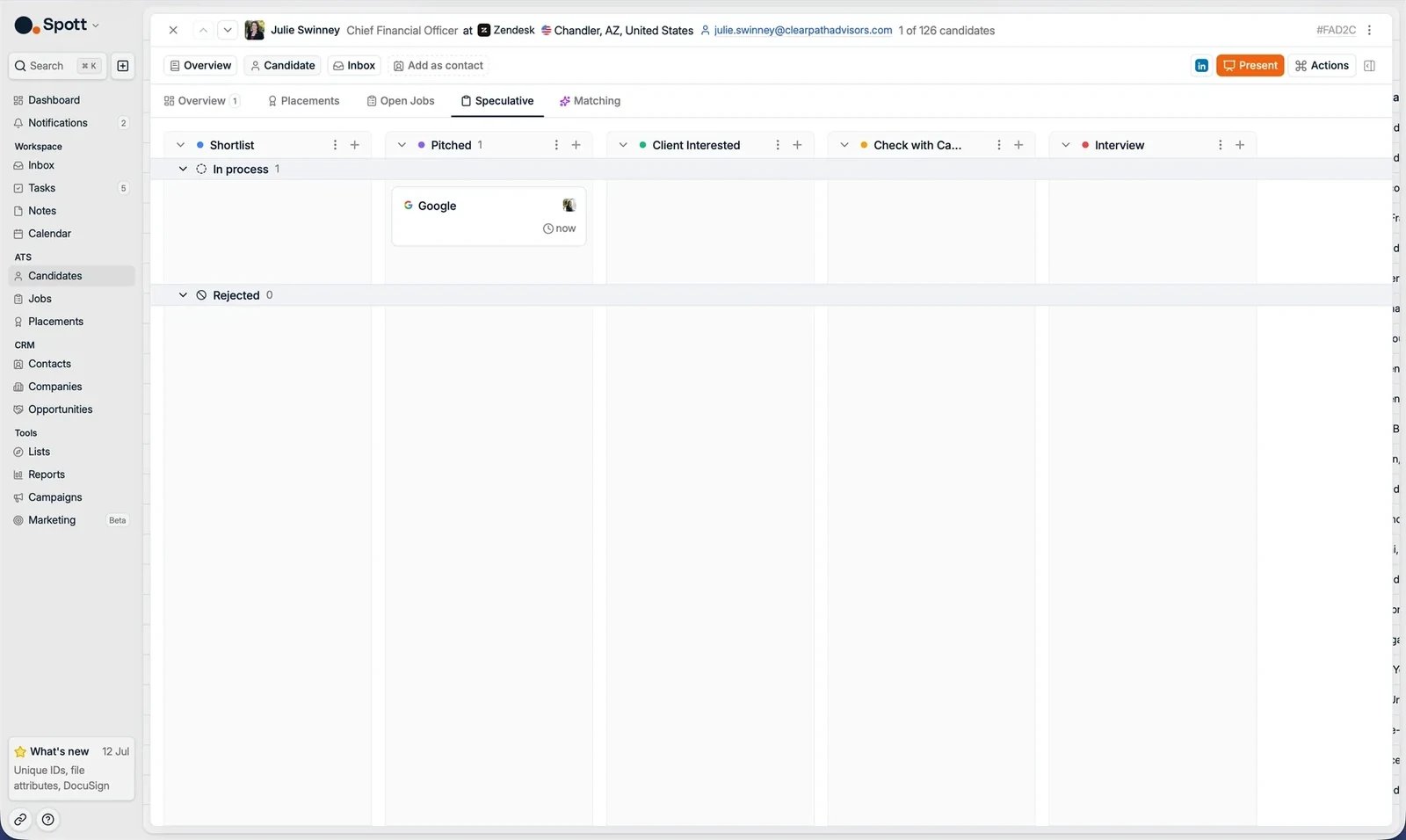 To create a speculative presentation, click the **+** sign at the top right of a
column. Pick the company you want to present to, and optionally a contact. Then move
the candidate through the stages as the conversation progresses.
The stages of the speculative process are fully customizable in Settings.
## Matching
AI suggestions based on the whole profile: details, experience, notes, emails, and
applications.
To create a speculative presentation, click the **+** sign at the top right of a
column. Pick the company you want to present to, and optionally a contact. Then move
the candidate through the stages as the conversation progresses.
The stages of the speculative process are fully customizable in Settings.
## Matching
AI suggestions based on the whole profile: details, experience, notes, emails, and
applications.
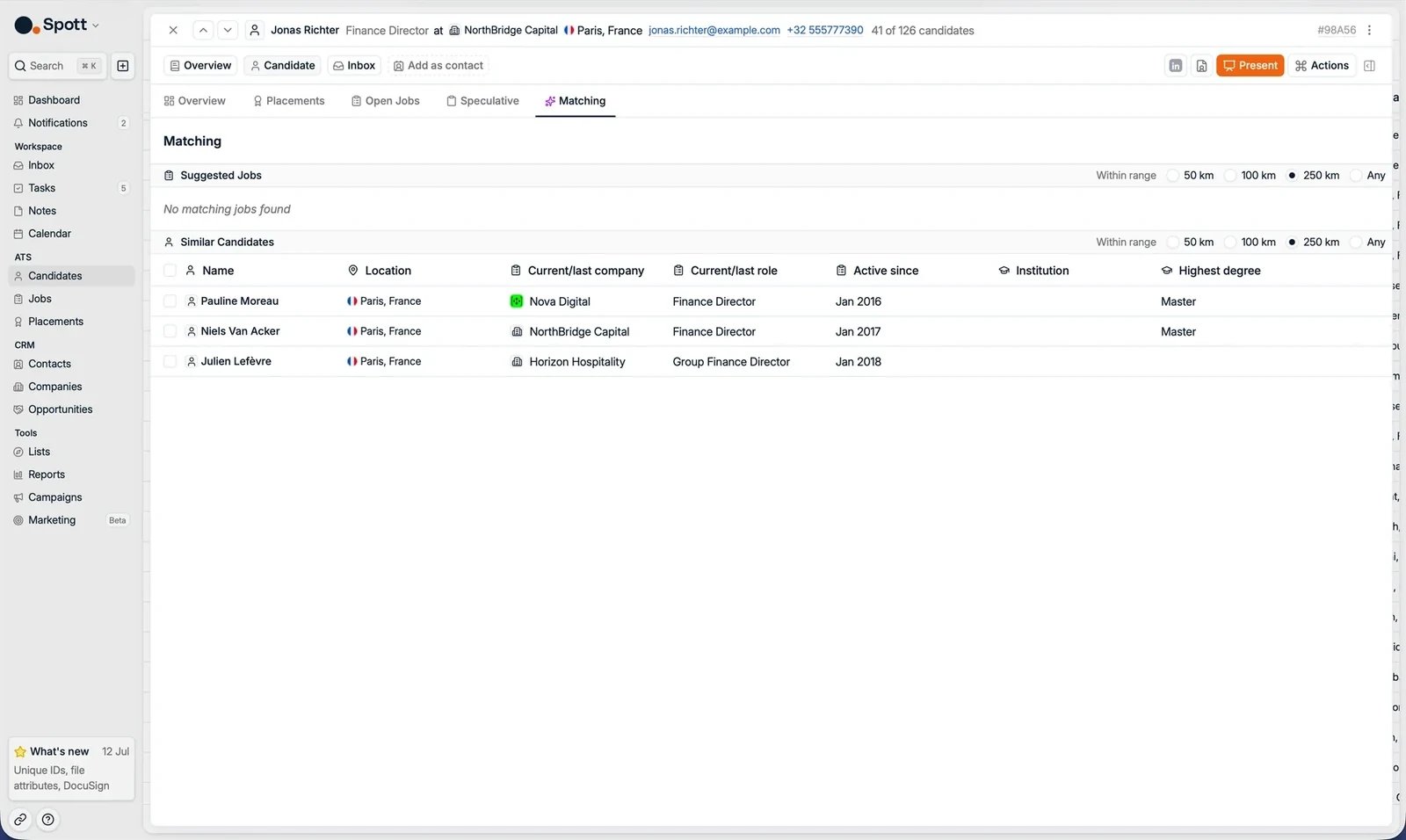 Spott identifies:
* **Jobs** in your database that could be a good match for this candidate.
* **Candidates** in Spott with a similar profile.
## Next steps
Close the loop when a candidate is hired.
Capture structured interview feedback.
Spott identifies:
* **Jobs** in your database that could be a good match for this candidate.
* **Candidates** in Spott with a similar profile.
## Next steps
Close the loop when a candidate is hired.
Capture structured interview feedback.